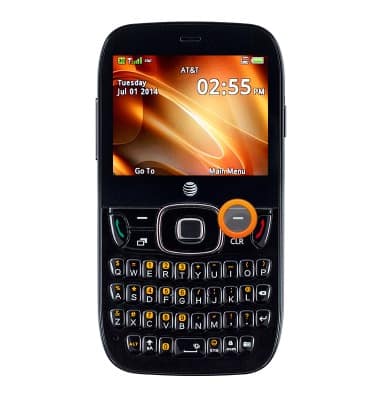
- From the home screen, press the Right Soft key.
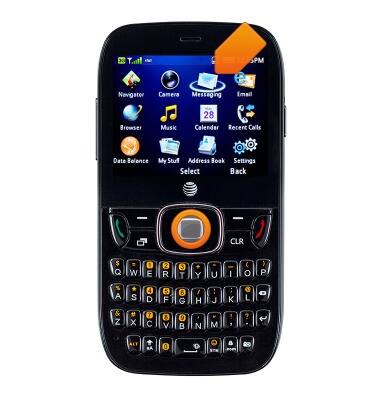
- Select Messaging, then press the Center Nav key.
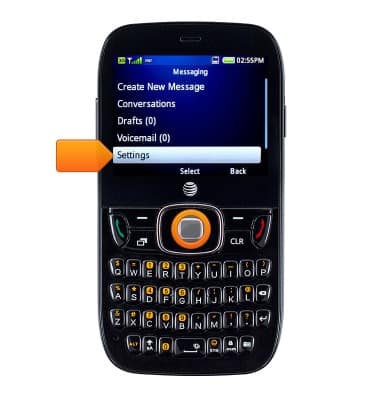
- Select Settings, then press the Center Nav key.
- Select General Settings, then press the Center Nav key.
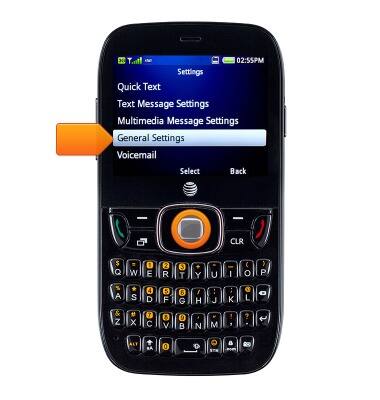
- To change the font size, select Message Font Size, then press the Center Nav key.
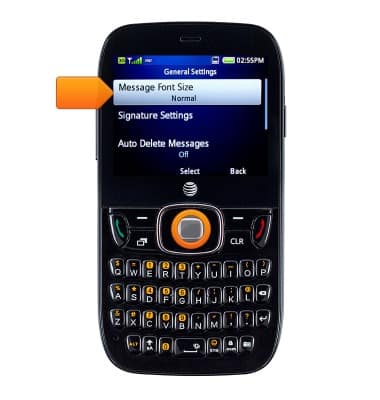
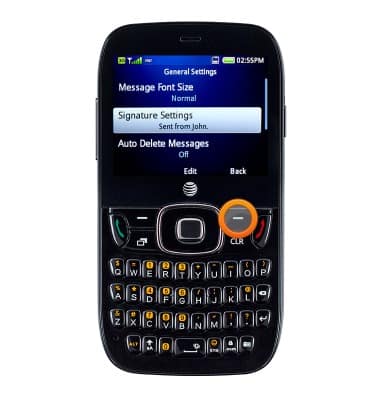
- To add your signature, select Signature Settings, then press the Center Nav key.
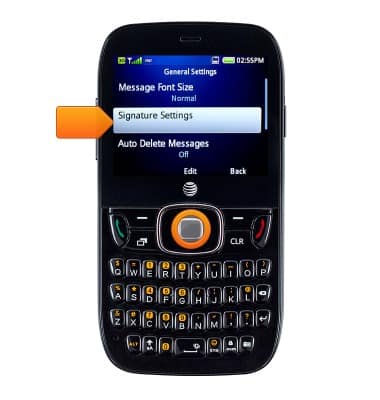
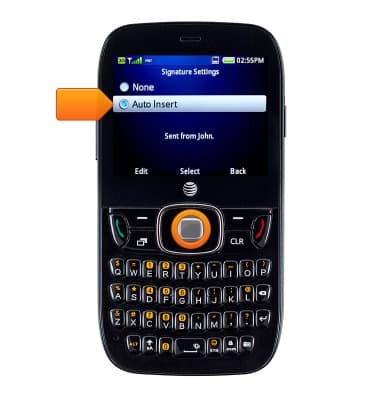
- Select Auto Insert, then press the Left soft key. to edit
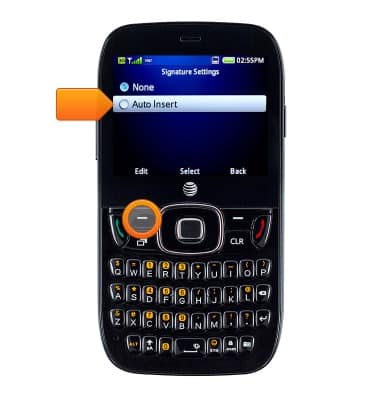
- Enter the desired signature, then press the Center Nav key.
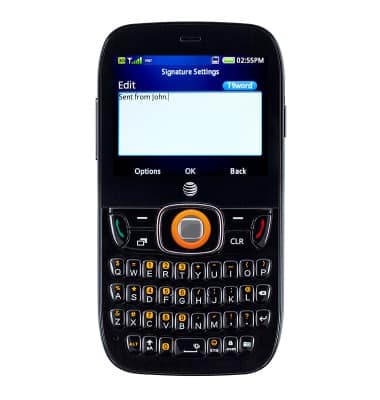
- Select Auto Insert, then press the Center Nav key to enable.
- To change the message center number, press the Right soft key.
- Select Text Messaging Settings, then press the Center Nav key.
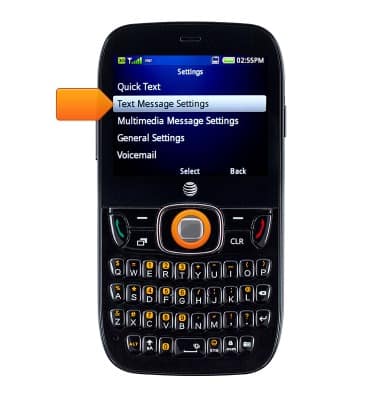
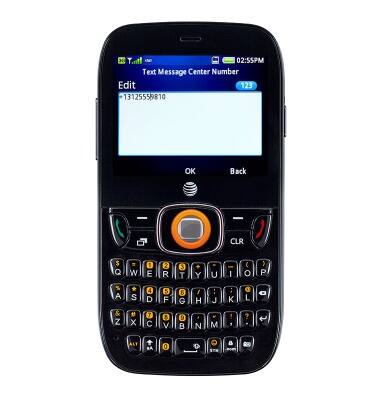
- Select Text Message Center Number, then press the Center Nav key to edit.
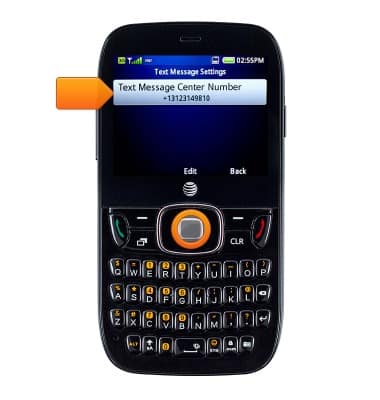
- Enter the desired number, then press the Center Nav key.
Messaging settings
ZTE Z432
Messaging settings
Set text (SMS) and picture (MMS) message alerts, limits, display options and more.
INSTRUCTIONS & INFO