
- To enable hearing aid capabilities, from the home screen, press the Right Soft key.

- Select Settings, then press the Center Nav key.

- Select Phone Settings, then press the Center Nav key.

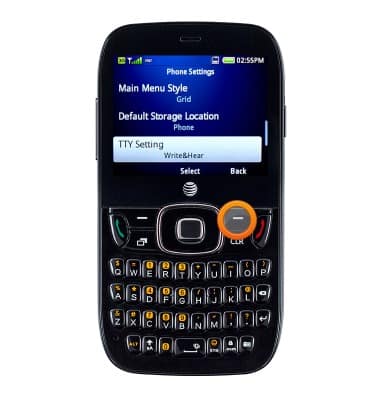
- Scroll to and select TTY Settings, then press the Center Nav key.
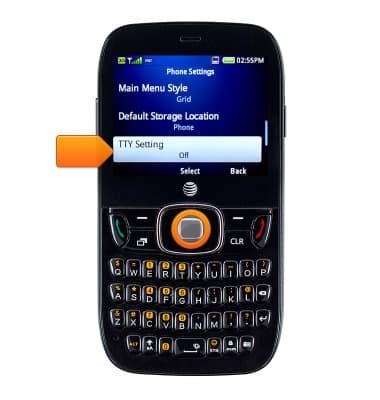
- Select the desired option, then press the Center Nav key.

- To adjust the dialing font size, press the Right Soft key.
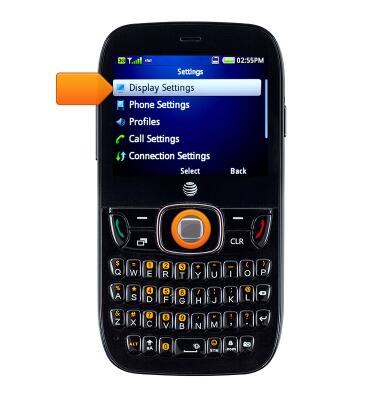
- Select Display Settings, then press the Center Nav key.
- Scroll to and select Dialing Font, then press the Center Nav key.
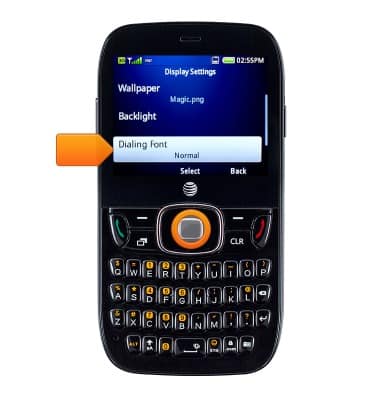
- Select the desired font size, then press the Center Nav key to save the change.

Accessibility
ZTE Z432
Accessibility
Turn on features such as TalkBack, Hearing aid mode, and more.
INSTRUCTIONS & INFO