
 Settings app.
 Note: You will not be able to change or reset your voicemail password when using Wi-Fi calling. To access and change your password, you must have already Set Up Voicemail.
2. Scroll to and select Phone, then scroll to and select Change Voicemail Password.
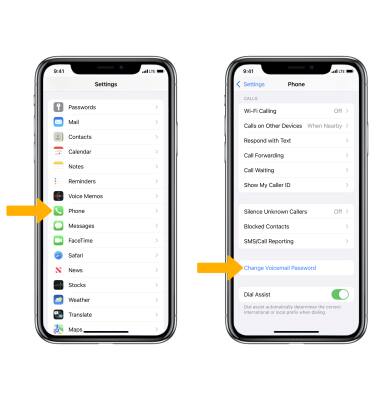
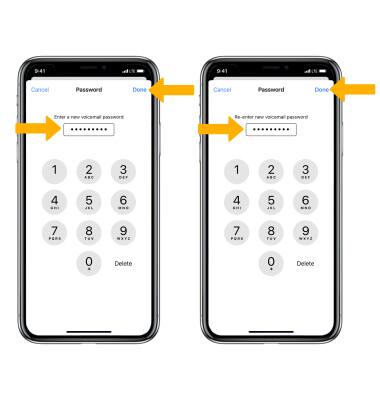
3. Enter the new desired voicemail password, then select Done. Re-enter the new password, then select Done.
To change your Voicemail password through the interactive voice response system (IVR), from the
 Phone app select and hold the 1 key > Enter your current voicemail password > dial 4 > 2 > 1 > 1 > Enter your new desired voicemail password.
 Note: To change your voicemail password via the IVR, you must know your current voicemail password. If you have forgotten your existing voicemail password, you will not be able to access voicemail until you reset your voicemail password.