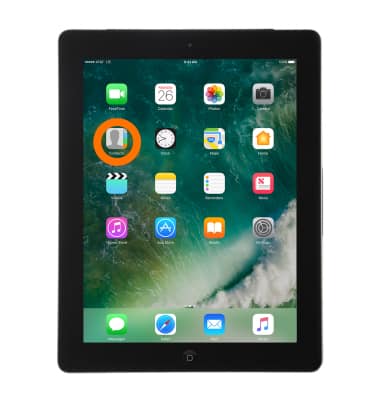
- To Add a new Contact, from the home screen, select Contacts.
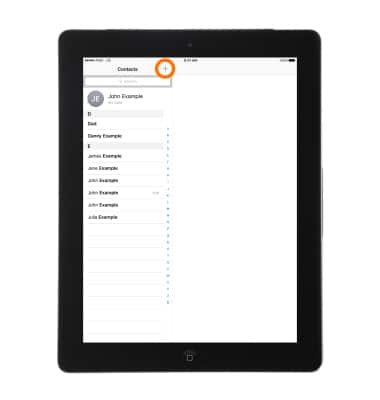
- Then select the Plus icon and enter the desired contact information.
- To Find a contact, select the Search field at the top of the contacts list and enter your search.
Note: To access Contacts, select Contacts from the Home screen. You can also search your contacts with Spotlight Search.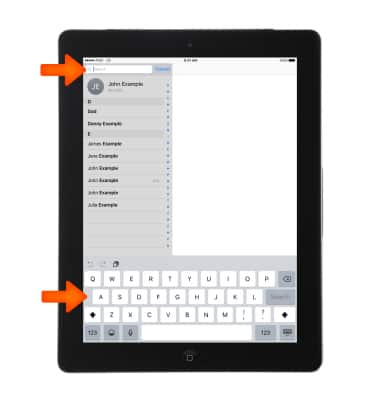
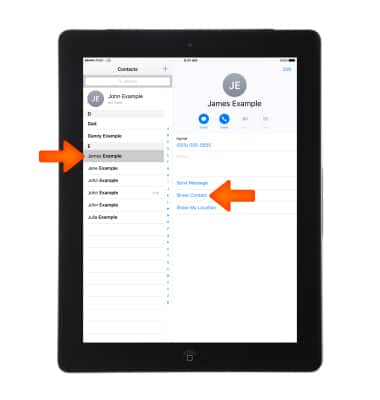
- To Share a contact, select a Contact, then select Share Contact.
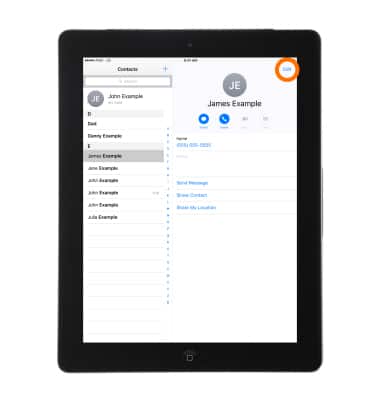
- To change a label, if a field has the wrong label, such as Home instead of Work, select Edit.
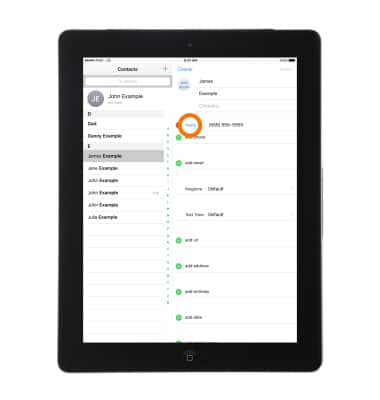
- Then select the Label.
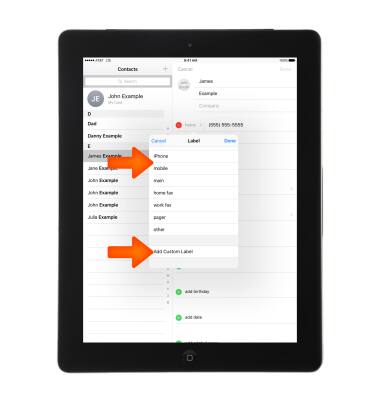
Choose one from the list, or select Add Custom Label to create one of your own.
- To Add a photo, select add photo and follow the on-screen prompts.
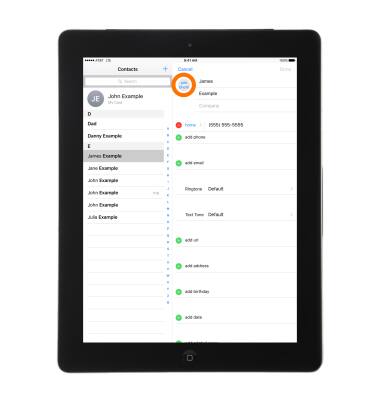
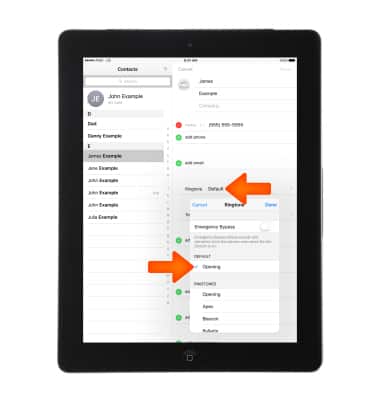
- To Add a Custom Ringtone, select the Ringtone field and select the Desired ringtone.
To Delete a contact, go to the contact's card, then select Edit. Scroll down, then select Delete Contact.
Note: Learn more from Apple support article: Contacts: Make a video call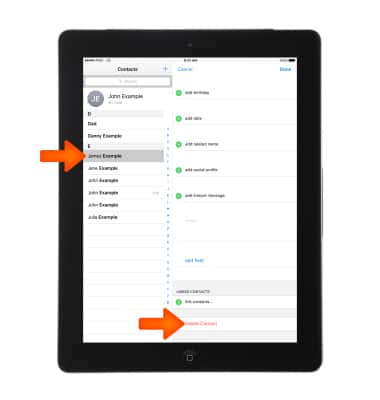
Contacts
Apple iPad 4th Gen (2020)
Contacts
Add, view, delete, and customize contacts by adding a picture or ringtone.
INSTRUCTIONS & INFO