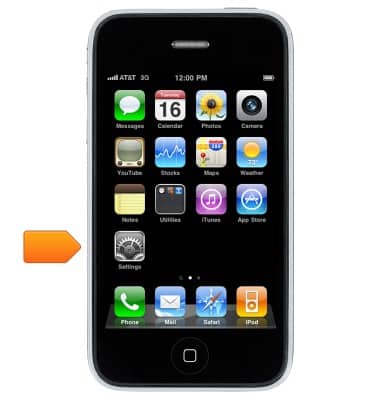
- From the home screen, tap Settings.
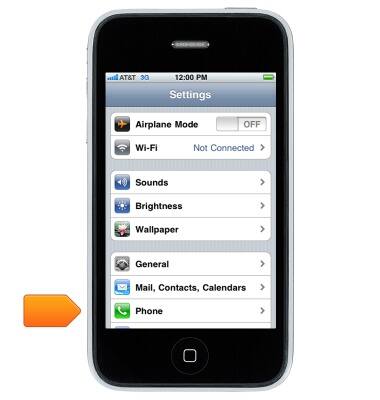
- Tap Phone.
- Tap Change Voicemail Password.
Note: This option will only appear once you have set up Visual Voicemail. If you have forgotten your existing voicemail password, you will not be able to access Voicemail until you reset your voicemail password.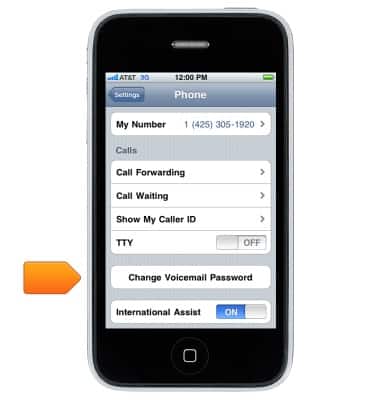
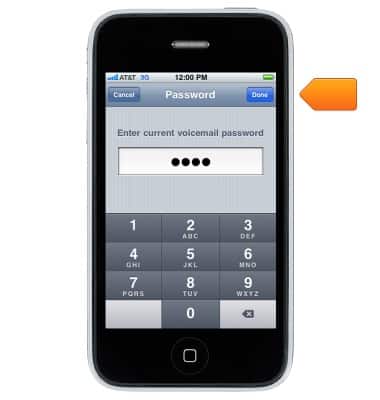
- Enter the current voicemail password, and then tap Done.
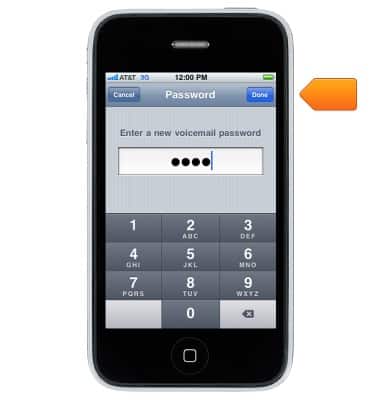
- Enter the new desired voicemail password, and then tap Done.
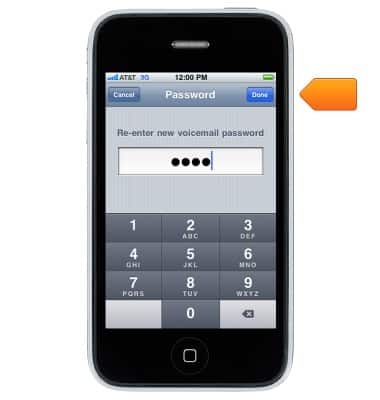
- Re-enter the new password, and then tap Done.
Change or reset voicemail password
Apple iPhone 3G
Change or reset voicemail password
This article describes how to change the voicemail password.
INSTRUCTIONS & INFO