
- From the home screen, press the Left Nav key.

- Scroll to Tools, then press the Center Nav key.

- Scroll to Calendar, then press the Center Nav key.
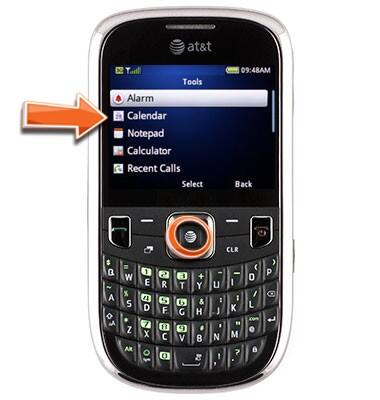
- Press the Left Soft key.

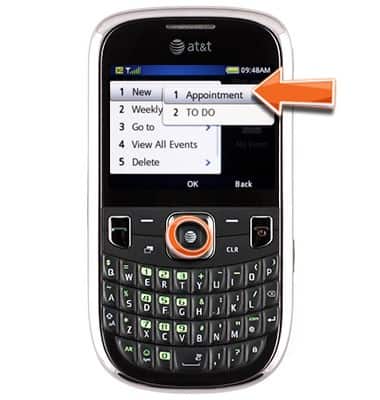
- Scroll to New, then press the Center Nav key.

- On Appointment, press the Center Nav key.
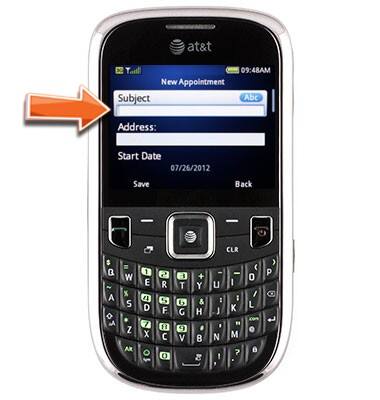
- Enter the desired Subject.
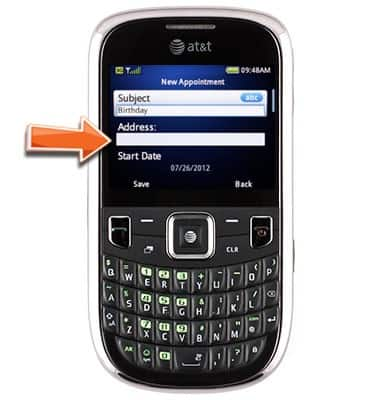
- Scroll to Address, then enter the desired address.
- Scroll to Start Date, then press the Center Nave key.
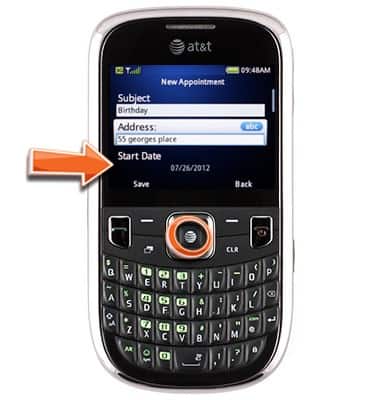
- Scroll left or right to select Month, Day or Year, then scroll up or down to adjust the desired item.
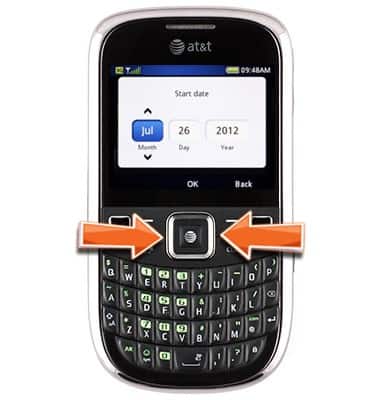
- Press the Center Nav key.

- Scroll to Start Time, then press the Center Nav key.
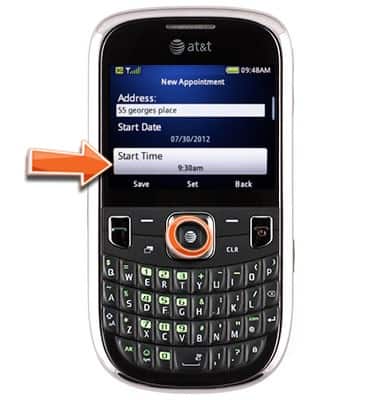
- Scroll left or right to select Hour, Minute or am/pm, then scroll up or down to adjust the desired item.
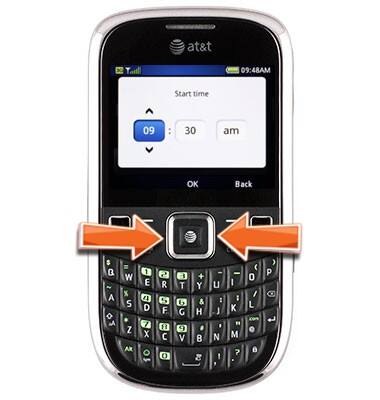
- Press the Center Nav key.

- Repeat steps 9-14 for End Date and End Time.

- Press the Left Soft key to save.

Add appointment
ZTE Z431
Add appointment
Create a new appointment in your device calendar.
INSTRUCTIONS & INFO