
- To change your voicemail password, you must know your current voicemail password.
Note: If you have forgotten your existing voicemail password, you will not be able to access Voicemail until you reset your voicemail password.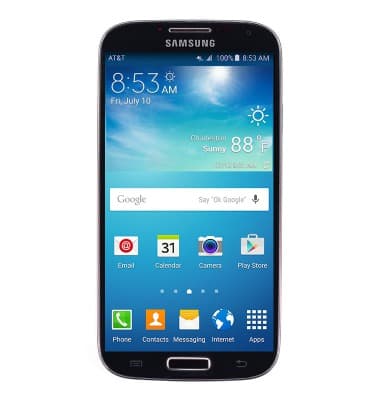
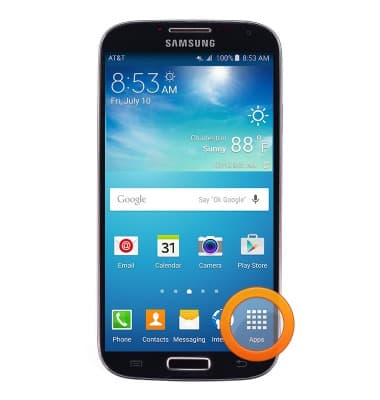
- From the home screen, tap Apps.
- Swipe to, then tap Visual Voicemail.
Note: Alternatively you can change your voicemail password by tapping 'Phone' from the home screen > tap the 'Voicemail icon' > Follow the prompts to change the voicemail password.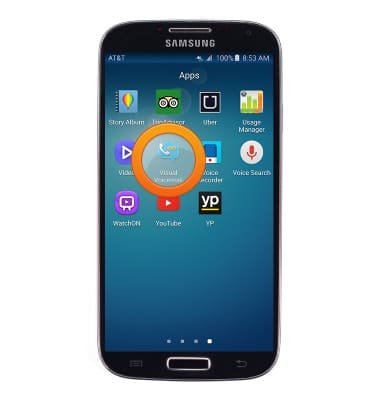
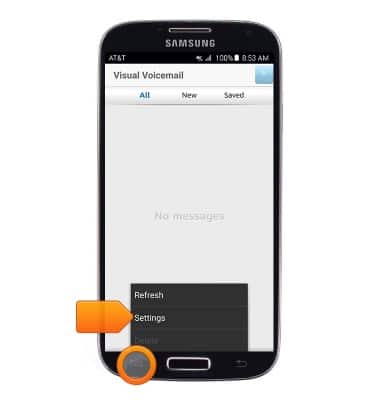
- Press the Menu key , then tap Settings.
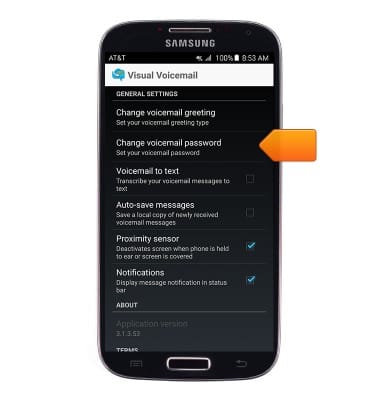
- Scroll to, then tap Change voicemail password.
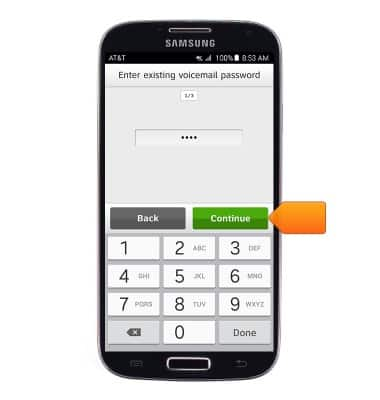
- Enter your existing voicemail password, and then tap Continue.
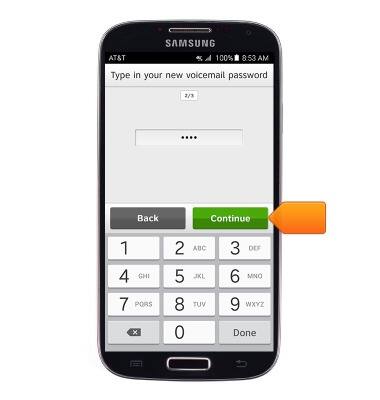
- Enter the desired new voicemail password, and then tap Continue.
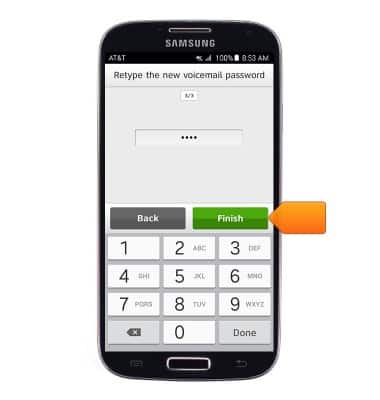
- Re-enter the desired new voicemail password for confirmation, and then tap Finish.
Change or reset voicemail password
Samsung Galaxy S4 (I337)
Change or reset voicemail password
How to troubleshoot the voicemail feature.
INSTRUCTIONS & INFO