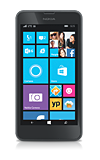
- Signal strength will be indicated in the Notification bar. When you are within range of a cellular tower the indicator will show more bars, if you are not in range of a cellular tower you will have less bars/less signal strength.
Note: To view the locations AT&T voice and data service can be used, see the AT&T Network coverage map.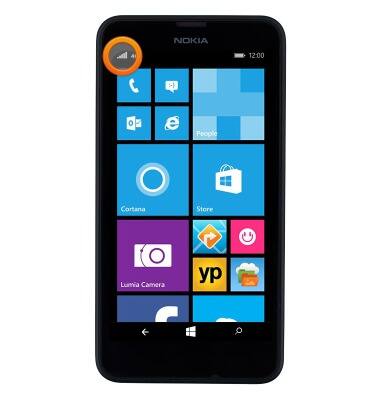
- The Network type icon will be displayed in the notification bar. From slowest to fastest they are, E, 3G, 4G, LTE.
Note: To learn more about the AT&T network, visit http://www.att.com/network.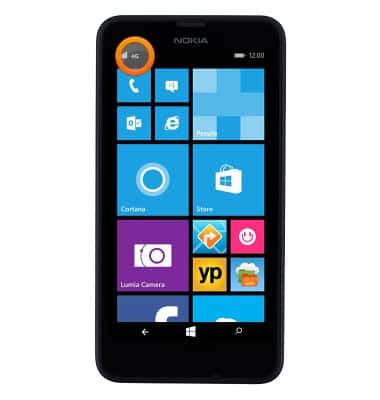
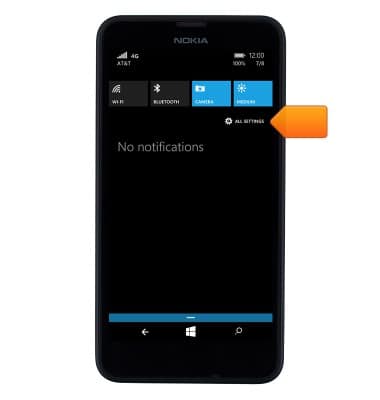
- To access the Mobile Network settings from the Start screen, swipe down from the top of the screen to reveal the Action center.
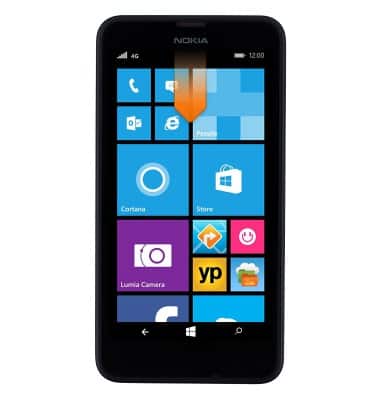
- Tap ALL SETTINGS.
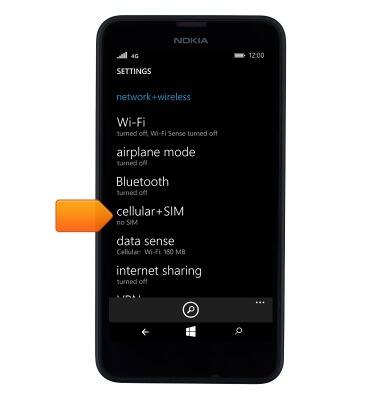
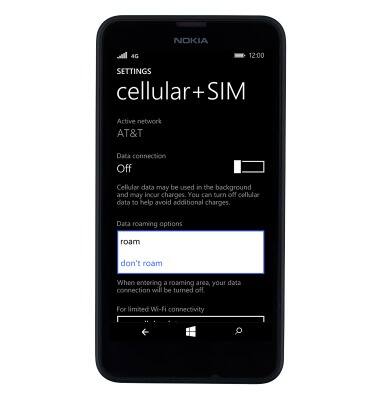
- Tap cellular+SIM.
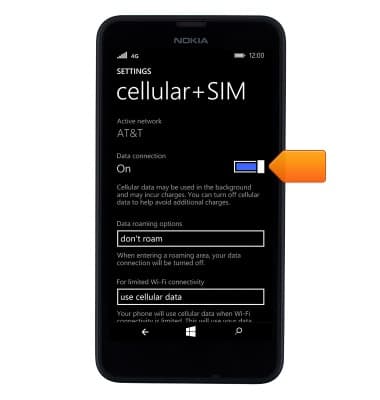
- To enable or disable cellular data, tap the Data connection toggle.
- To change roaming options, tap the Data roaming options drop-down menu.
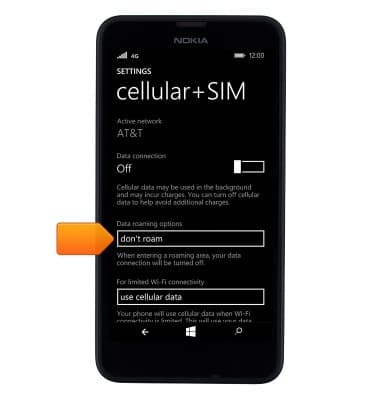
- Tap the desired option.
Signal & cellular data
Nokia Lumia 635
Signal & cellular data
View cellular network signal, turn international roaming or your mobile data connection on or off.
INSTRUCTIONS & INFO