
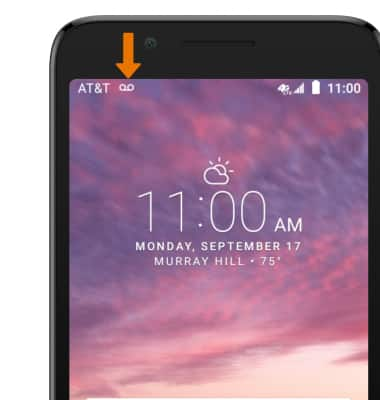
- When a new voicemail is received, the Voicemail icon will be displayed in the Notification bar.
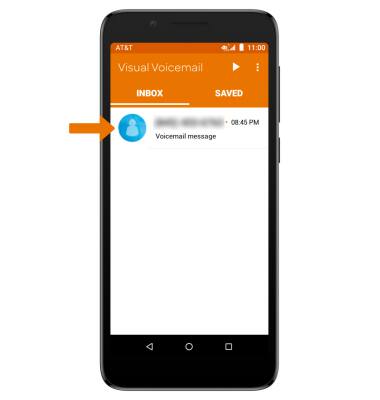
- ACCESS VOICEMAIL: From the Apps tray, select the Visual Voicemail app.

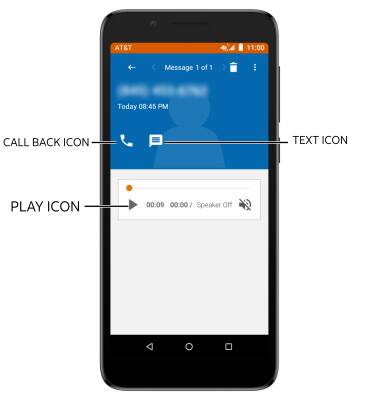
- LISTEN TO A VOICEMAIL: Select the desired voicemail.
- VOICEMAIL OPTIONS: Select the corresponding icon.
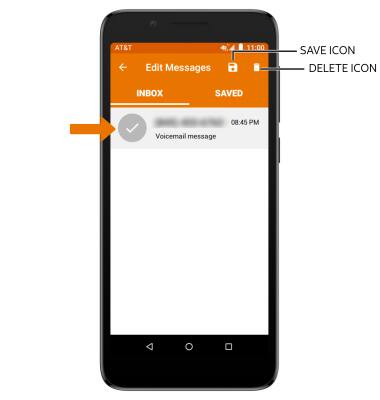
- To delete or save a voicemail, select and hold the desired voicemail then select the desired option.
Access Voicemail
Alcatel idealXtra (5059R)
Access Voicemail
Access voicemail, check voicemail messages, and view voicemail options.
Voicemail
Access voicemail, check voicemail messages, and view voicemail options.

Voicemail
2:05
INSTRUCTIONS & INFO