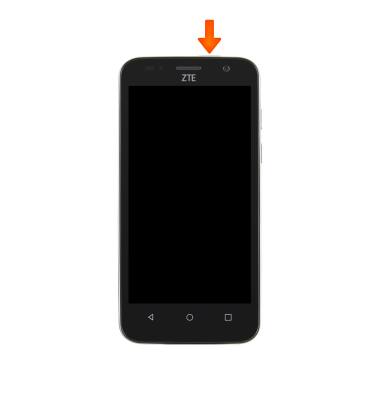
- From any screen, press the Power/Lock key to lock and unlock your device.
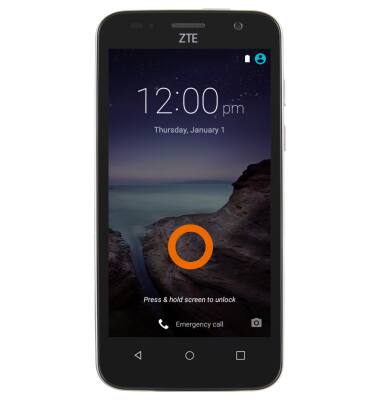
- To unlock phone, Touch and hold anywhere on the screen.
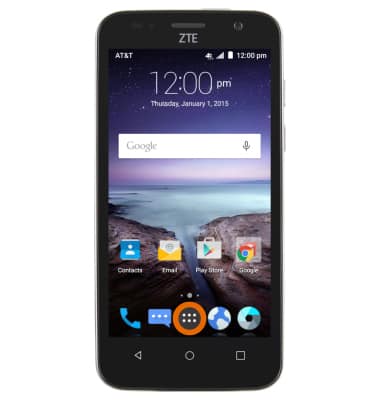
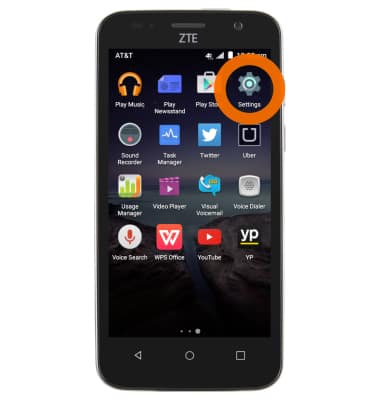
- To set up a security lock, tap the Apps icon from the home screen.
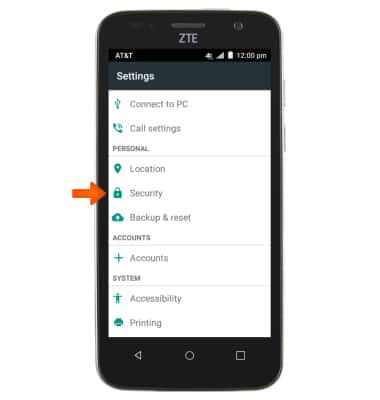
- Tap Settings.
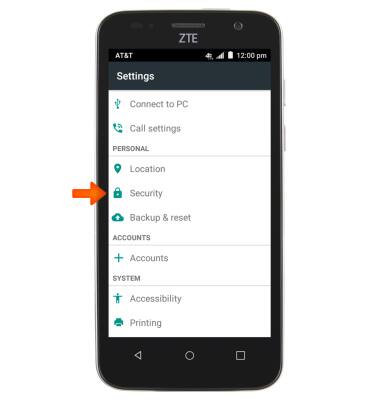
- Scroll to, then tap Security.
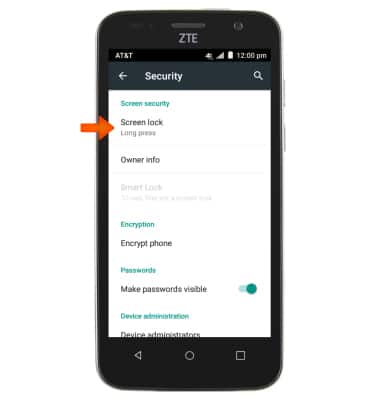
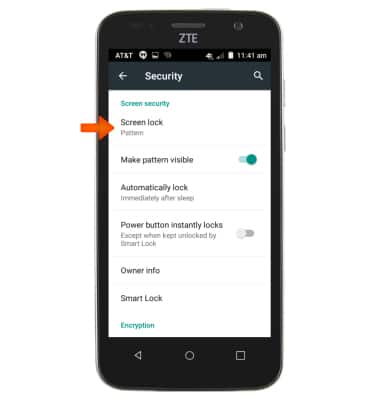
- Tap Screen lock.
- Tap the Desired screen lock type.
Note: Pattern was used in this demonstration.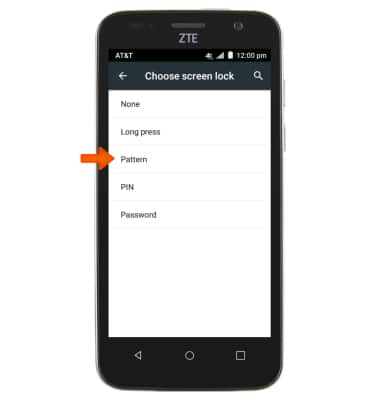
- Draw the Desired pattern.
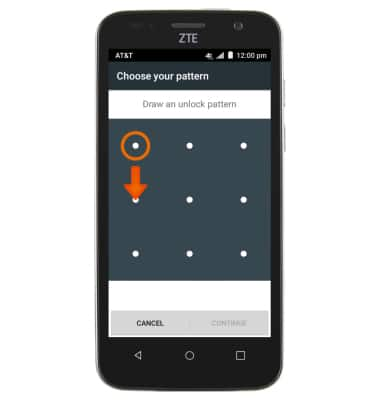
- Tap CONTINUE.
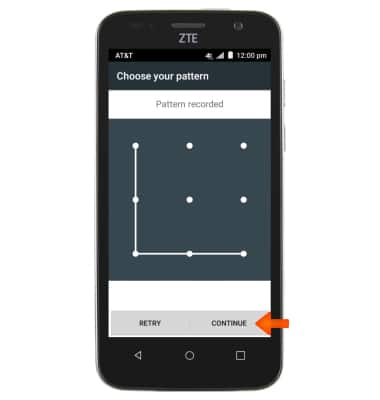
- Redraw the Pattern.
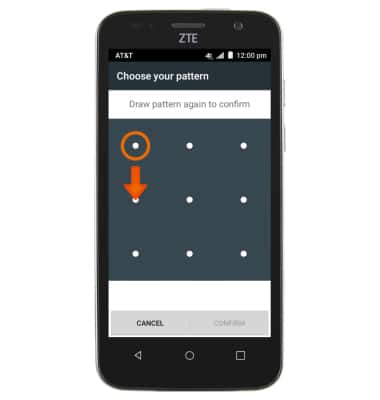
- Tap CONFIRM.
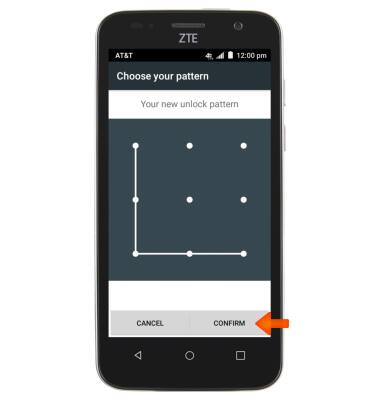
- To change the security lock type, go to the Settings menu and tap Security.
- Tap Screen lock.
- Tap the desired screen lock type.
Note: Pin was used in this demonstration.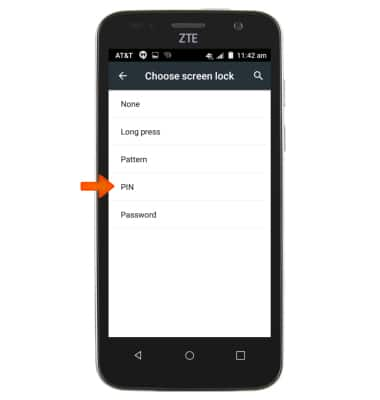
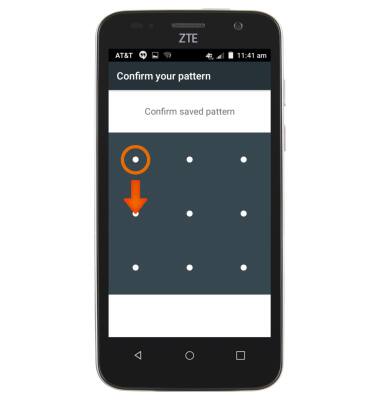
- Confirm your existing code or pattern.
- Enter new PIN and tap Continue.
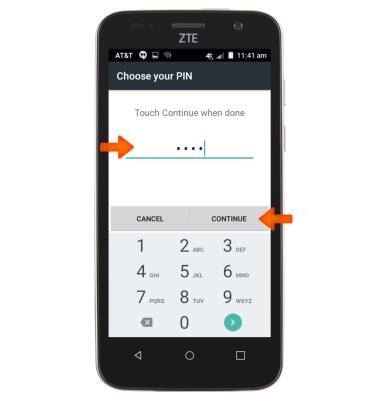
- Confirm PIN and tap OK.
Note: To learn more about requesting a device unlock for your AT&T mobile device, visit www.att.com/deviceunlock. If your device is locked and is requesting a "PUK" code, click here for instructions on how to obtain your PUK or PUK2 code to unlock your SIM card.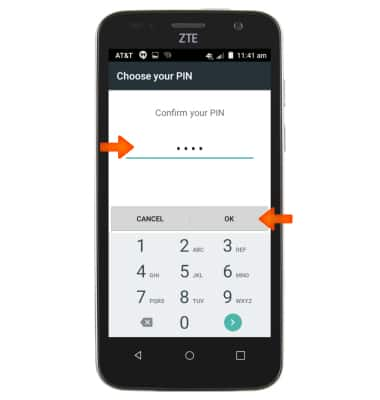
Secure My Device
ZTE Maven (Z812)
Secure My Device
Lock the device screen, set and change security lock, and locate device.
INSTRUCTIONS & INFO