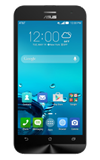
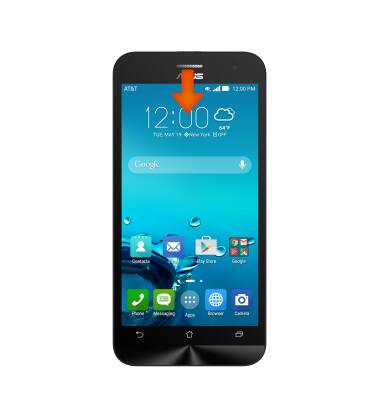
- To adjust the display settings, from the home screen, swipe down from the Notification bar.
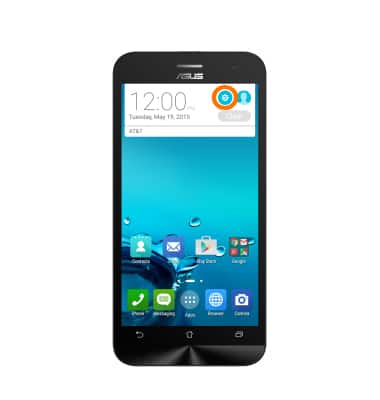
- Tap the Settings icon.
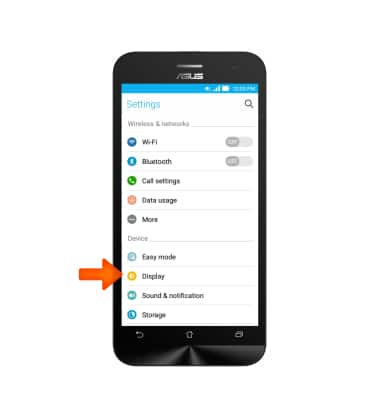
- Tap Display.
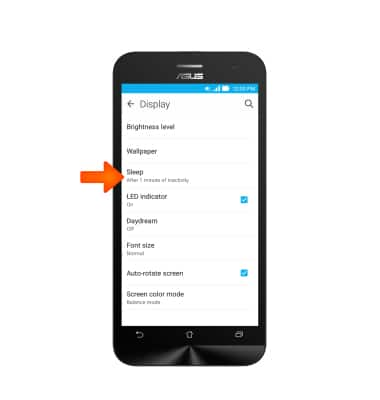
- To change the screen time out interval, tap Sleep.
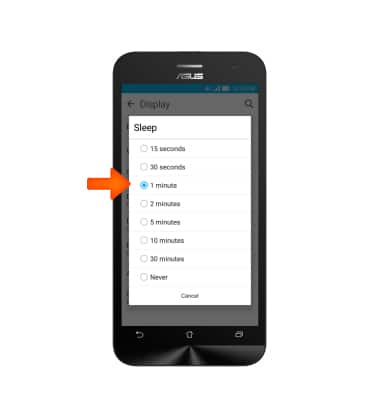
- Tap the Desired time interval.
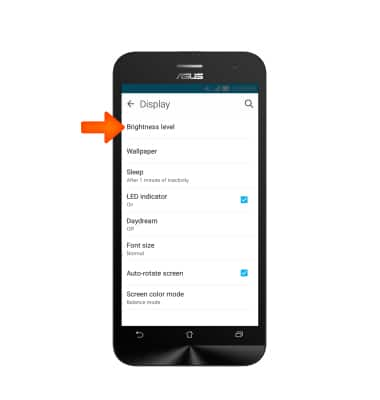
- To adjust display brightness, tap Brightness Level.
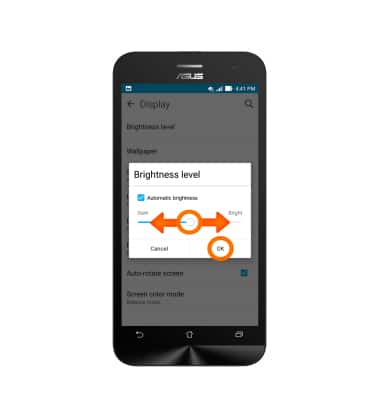
- Adjust to Desired brightness and tap OK.
- Brightness can also be adjusted from the Quick settings menu accessed from the home screen.
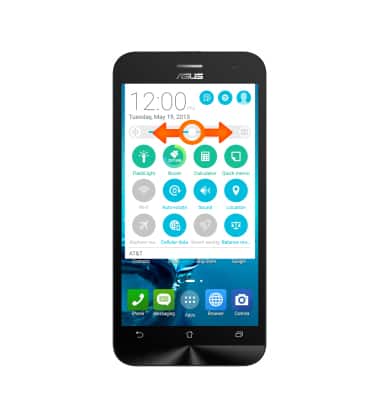
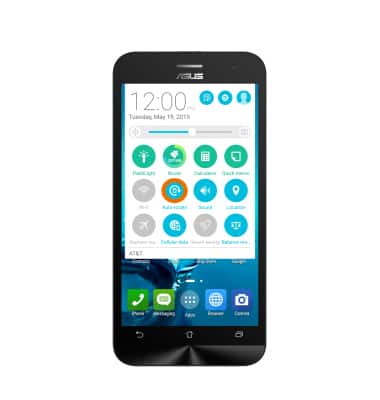
- From the quick settings menu, tap the Auto-rotate icon to lock or unlock the screen orientation.
Display
ASUS ZenFone 2E (Z00D)
Display
Change the display time out, brightness and orientation.
INSTRUCTIONS & INFO