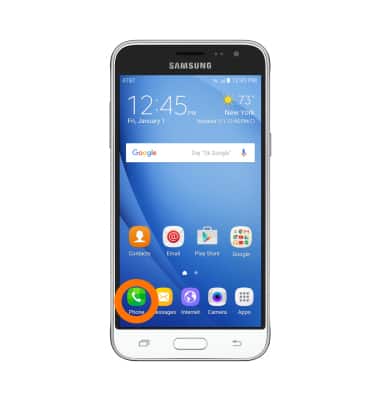
- From the home screen, tap Phone.
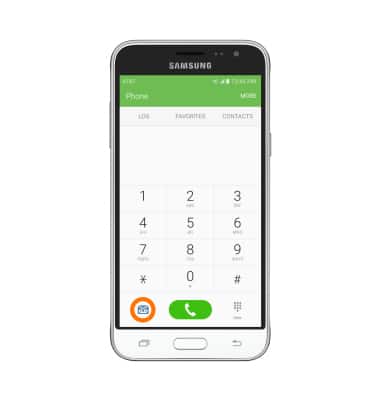
- Tap the Visual Voicemail icon.
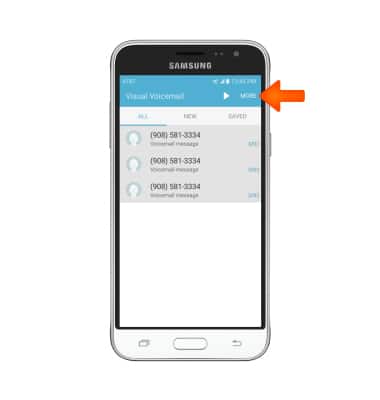
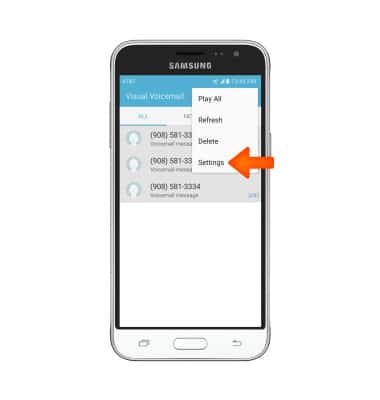
- Tap MORE.
- Tap Settings.
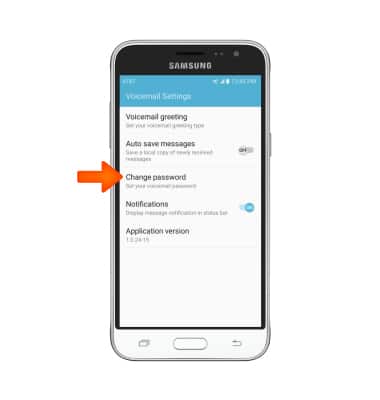
- Tap Change password.
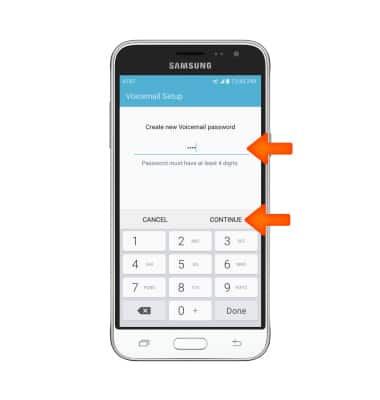
- Enter Desired new password, then tap CONTINUE.
- Reenter Desired new password, then tap OK.
Note: If you have forgotten your existing voicemail password, you will not be able to access Voicemail until you reset your voicemail password.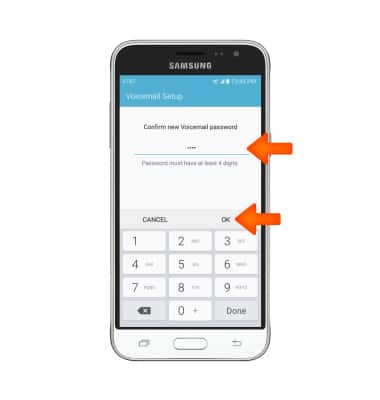
Change or reset voicemail password
Samsung Galaxy Express 3 (J120A)
Change or reset voicemail password
Reset a forgotten password or change an existing voicemail password.
INSTRUCTIONS & INFO