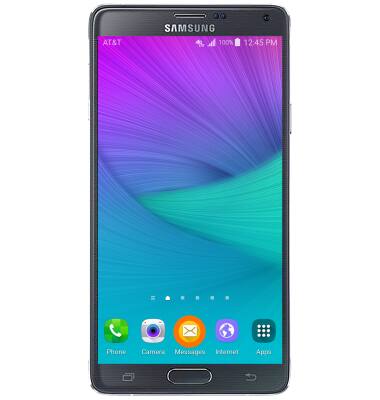
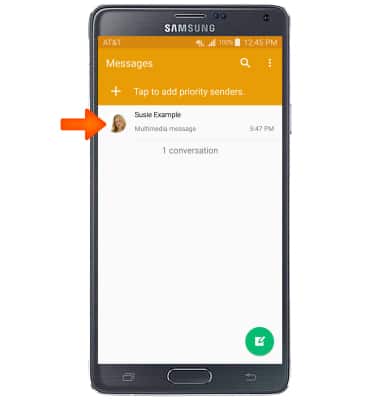
- To turn message block on, from the home screen, tap Messages.
- Tap and hold on the Desired number to block.
Note: To access the Spam Filter through the Message Settings menu Tap the More icon > Settings > Spam Filter > On/Off > Add to Spam numbers > Add Icon > Add Desired Number > Tap Save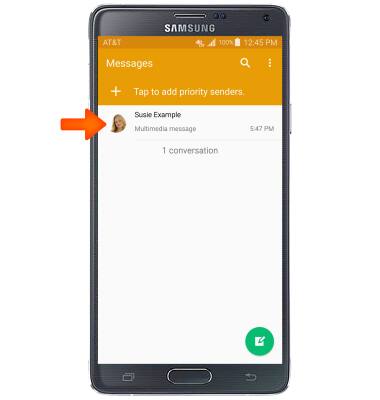
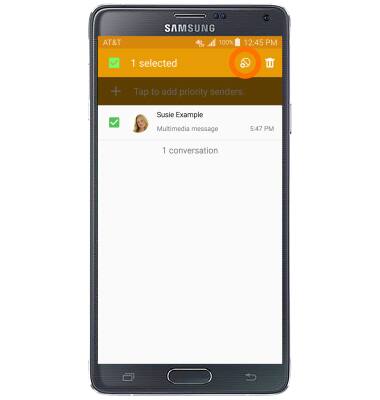
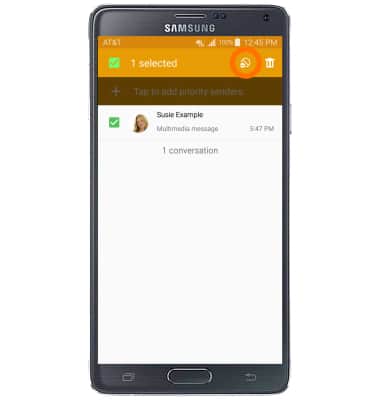
- Tap the Block number icon.
- Read the prompt and tap OK.
Note: Adding a number to the "Block list" does not block calls from being received. For instructions on blocking calls view the Block calls tutorial.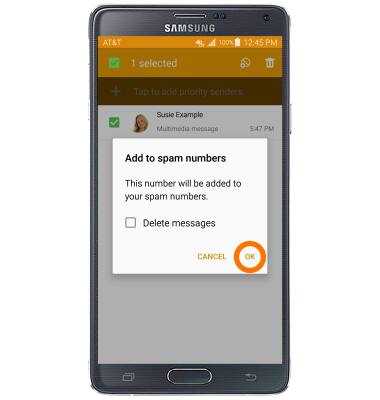
- To remove numbers from the Spam list, tap and hold the Desired number to unblock.
- Tap the Unblock icon.
Block messages
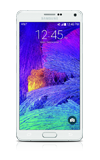
Samsung Galaxy Note 4 (N910A)
Block messages
Block messages from your device.
INSTRUCTIONS & INFO