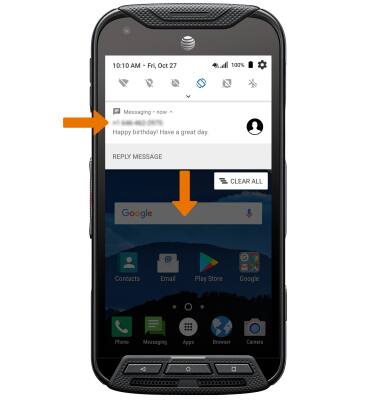
- ACCESS NOTIFICATIONS: Swipe down from the Notification bar. Notifications will be displayed.
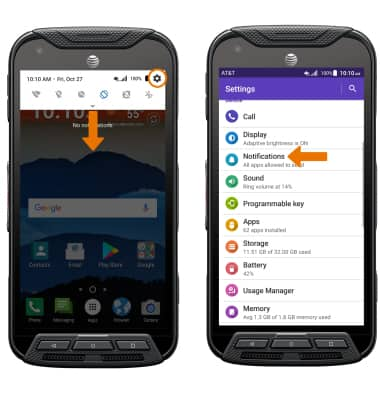
- TURN ON/OFF ALL NOTIFICATIONS: Swipe down from the Notification bar, then select the Settings icon. Select Notifications.
- Select the Settings icon > On the lock screen > desired option.
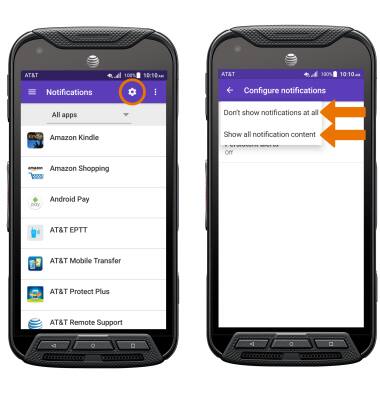
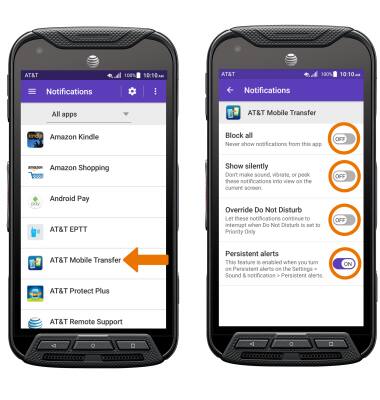
- TURN ON/OFF NOTIFICATIONS PER APP: From the Notification settings screen, select the desired app. Edit the Notification settings as desired.
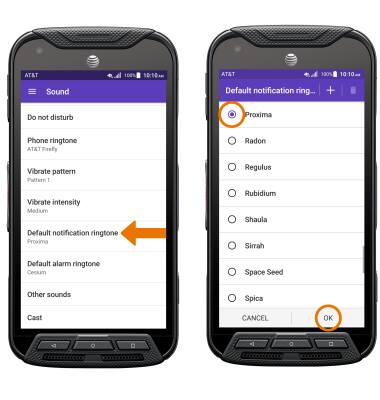
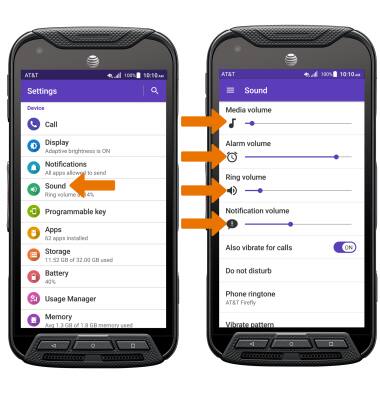
- ADJUST NOTIFICATION SOUNDS: From the Settings menu, select Sound. Adjust the desired volume sliders as desired.
- CHANGE NOTIFICATION RINGTONE: From the Sound screen, select Default notification sound. Select the desired ringtone, then select the OK.