- SET UP ENHANCED PUSH-TO-TALK: Long press the Programmable button. Review the prompt, then select OK. This will make the Programmable button the default Push-to-Talk button.
Note: Review the permissions, then select ALLOW.
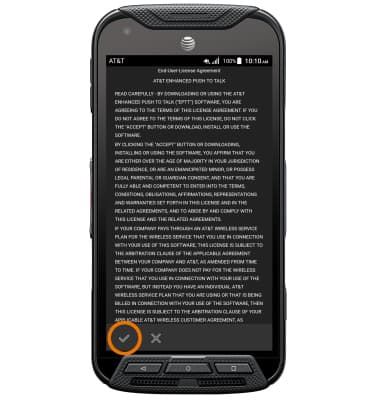
- Review the End User License Agreement, then select the Checkmark icon.
- Select Yes.
Note: Upon first use you will be prompted with the AT&T Enhanced Push-to-Talk tutorial, select View Tutorial to learn tips and tricks to using AT&T Enhanced Push-to-talk. Select Skip tutorial to begin using the app.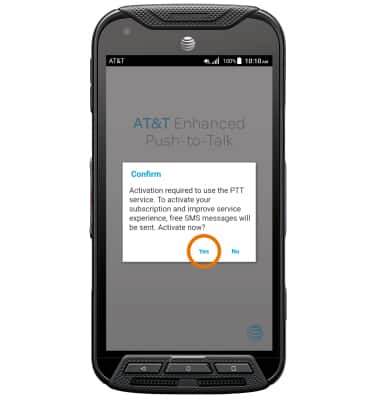
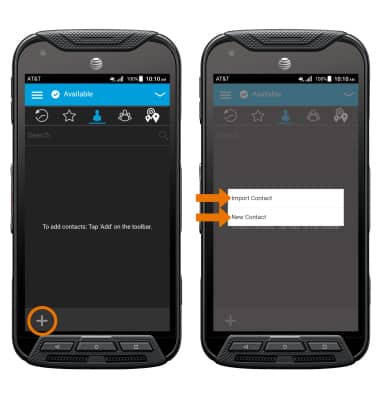
- Select the Add icon. Select the desired option, then follow the prompts.
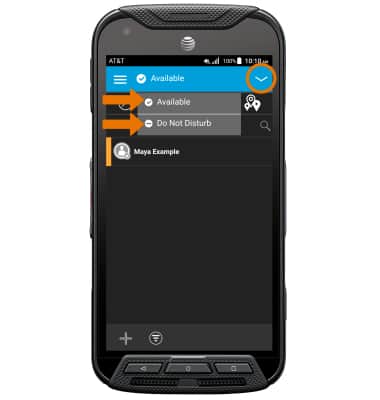
- SET AVAILABILITY STATUS: Select the drop-down icon then select the desired option.
- ACCESS SETTINGS: Select the Menu icon, then select Settings.
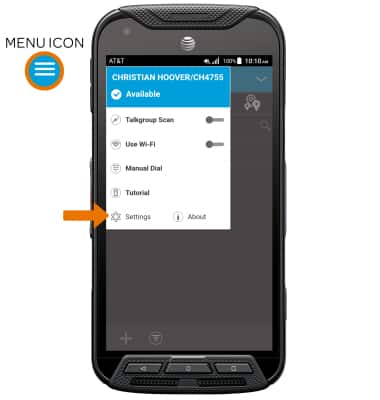
- Adjust the settings as desired.

- MAKE A CALL: Select the desired contact, then select the Microphone icon.
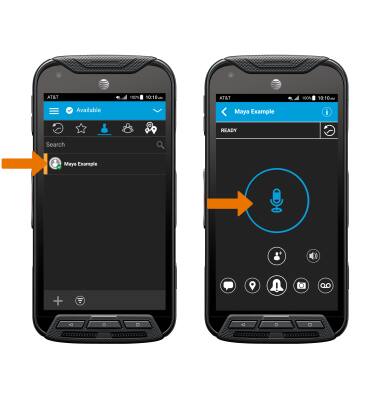
- START A PUSH-TO-TALK CALL: Select and hold the Microphone icon, then speak your desired message.
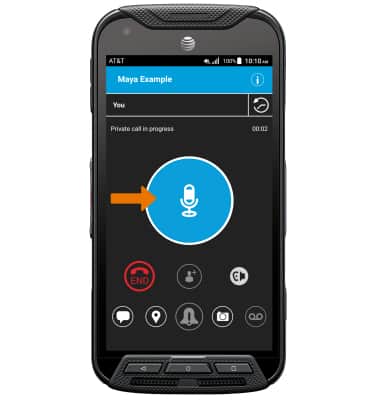
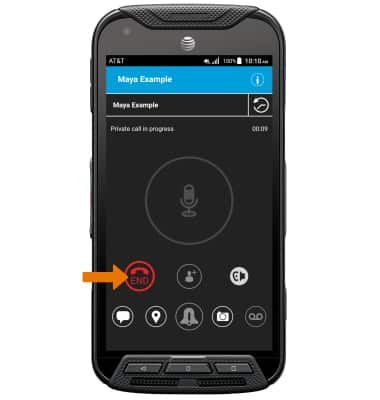
- END CALL: Select END.
Note: To learn more, visit the AT&T Enhanced Push-to-Talk (EPTT) Site.