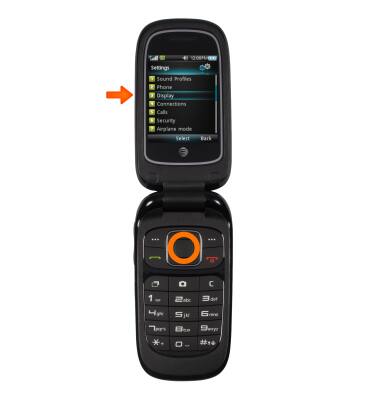
- Select Menu and then Settings.

- Select Display.
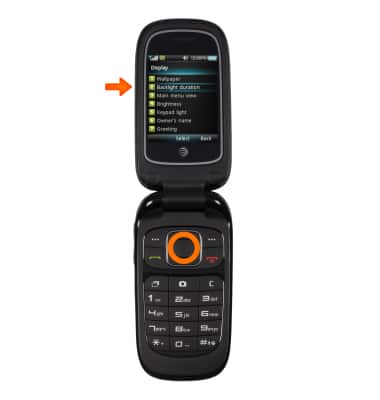
- To adjust the display time out, select Backlight duration.
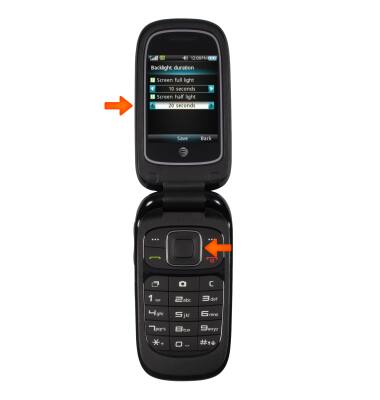
- Under Screen full light, use the arrow keys to choose between 5, 10, 15, or 30 seconds.

- Under Screen half light, choose between Off, 5, 10, 15, and 20 seconds.
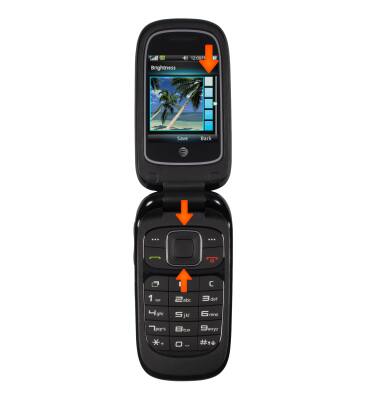
- To adjust the brightness, select Brightness from the Display menu. Use the up and down arrow keys to choose between the 5 brightness options.
Display
ZTE Z223
Display
Change the display time out, brightness and orientation.
INSTRUCTIONS & INFO