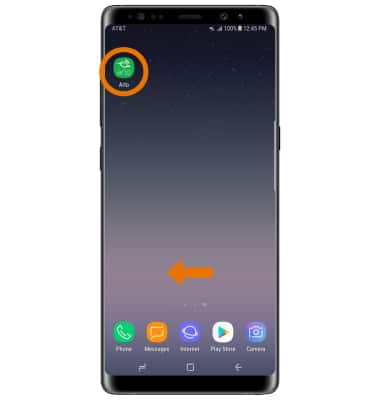
- POWER CYCLE YOUR DEVICE: From the home screen, navigate to and select the Arlo app.
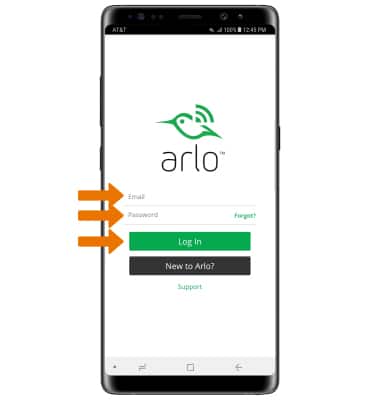
- Enter your Email and Password, then select Log In.
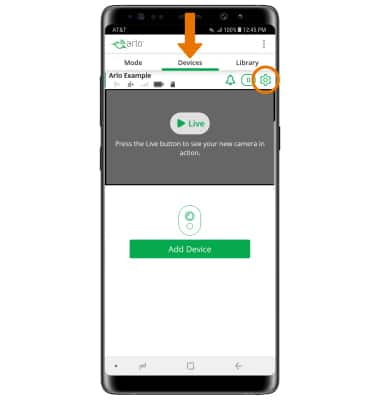
- Select the Devices tab, then select the Settings icon next to the desired device.
- Select the Camera On/Off switch to turn the camera on or off.
Note: If you are unable to turn your device off, remove and re-insert the battery.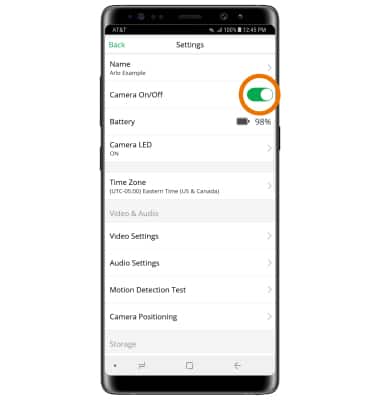
- RESTART YOUR DEVICE: From the desired device's Settings screen, scroll to and select RESTART.
Note: Select OK to confirm.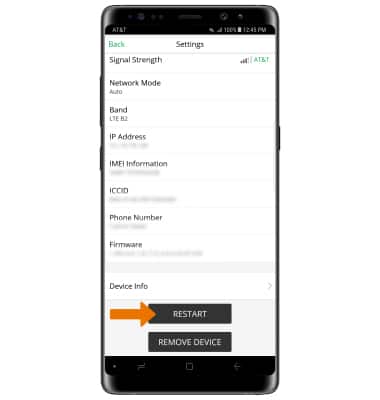
- RESET ARLO WHILE CONNECTED TO THE CLOUD: From the desired device's Settings screen, scroll to and select REMOVE DEVICE.
Note: Select OK to confirm. Follow the steps to set up a new device.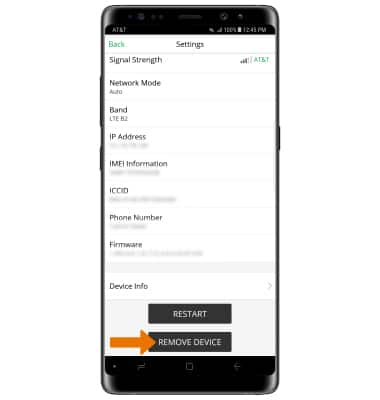
- RESET ARLO WHILE DISCONNECTED FROM THE CLOUD: Press the Sync button on the camera. You will hear a clicking sound.
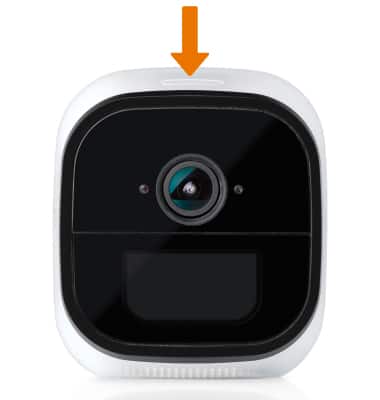
- Hold the QR code in front of the camera until you hear a chime sound. The camera will now reset to factory default settings.
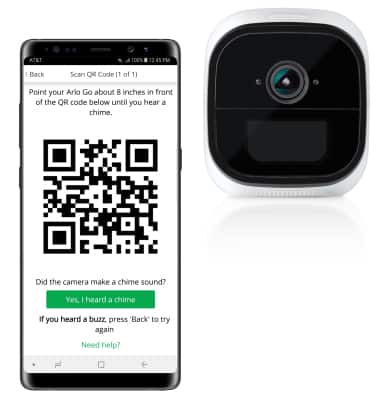
Reset Device
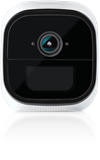
Netgear Arlo Go (VML4030)
Reset Device
Perform a soft, factory, and alternate master reset of the device.
INSTRUCTIONS & INFO