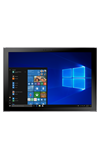
- ACCESS RECENT APPS: Select the Task view icon.
Note: Alternately, you can swipe right from the edge of the screen.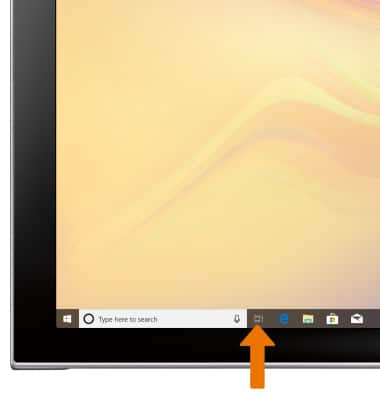
- SWITCH BETWEEN APPS: Scroll to and select the desired app.
Note: For keyboard shortcuts to cycle through running apps or to minimize/reopen apps, see the Gestures & Motion tutorial. Alternately, press the F10 key on the keyboard.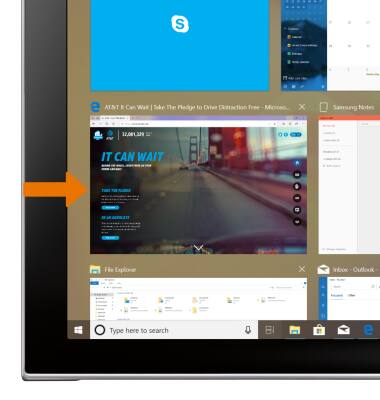
- CLOSE AN APP: Select the X icon on the desired app.
Note: For information on viewing app and data usage, see the View & Manage Data tutorial.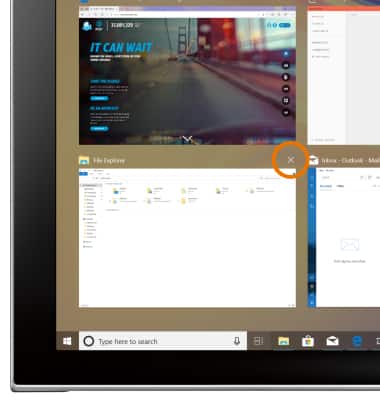
View or Close Running Apps
Samsung Galaxy Book2 (W737A)
View or Close Running Apps
How to view, switch between, and close running applications.
INSTRUCTIONS & INFO