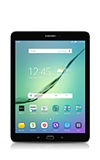
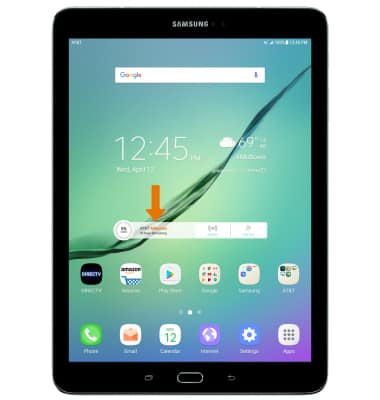
- CREATE A WI-FI MOBILE HOTSPOT: From the home screen, select the AT&T AllAccess widget.
Note: Eligible data plan required, learn more.
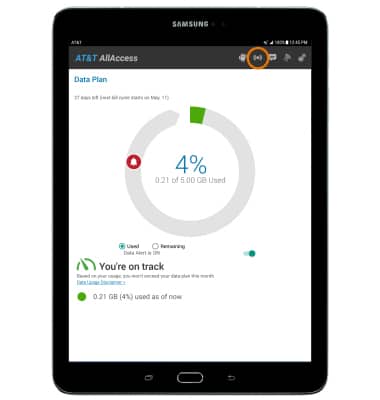
- Select the Mobile Hotspot icon.
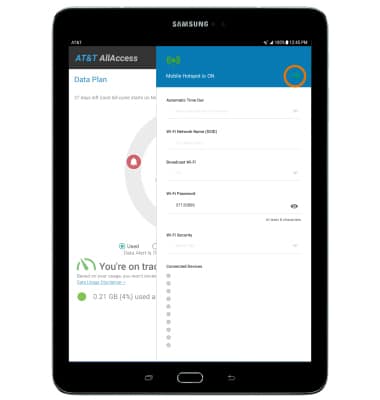
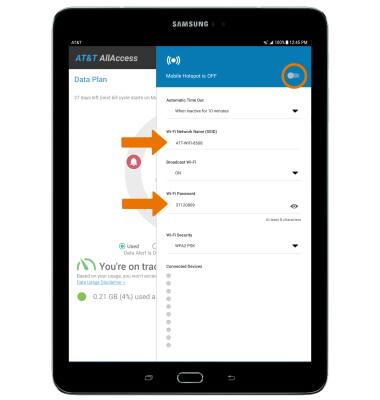
- Select the Switch to turn your hotspot on.
- Select OK.
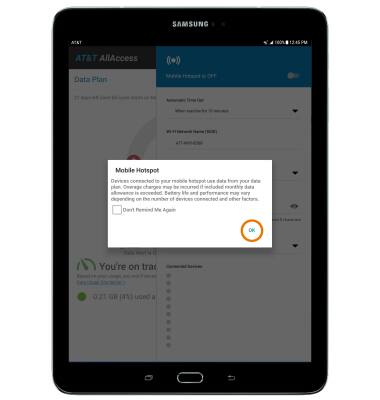
- EDIT MOBILE HOTSPOT SETTINGS: Mobile hotspot must be disabled in order to edit the settings. With Mobile Hotspot disabled, edit the network name or password as desired then select the Mobile Hotspot switch to save your changes.
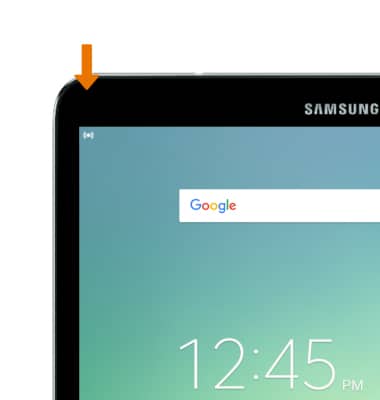
- When Mobile Hotspot is on, the Mobile Hotspot icon will be displayed in the Notification bar.
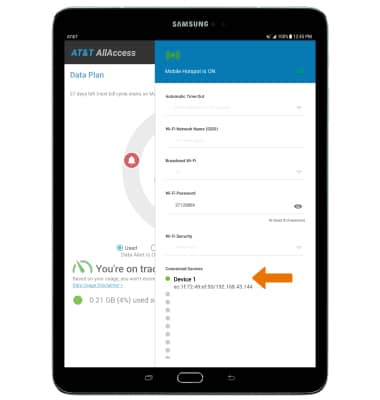
- View connected devices under Connected Devices on the Mobile Hotspot settings menu.
Mobile Hotspot
Samsung Galaxy Tab S2 9.7 (T817A/T818A)
Mobile Hotspot
Set up your device as a mobile hotspot and share your data connection with Wi-Fi-capable devices.
INSTRUCTIONS & INFO

Starting December 31, 2022, the AT&T AllAccess app is going away. As a result, some features on your device may no longer be supported. You'll be able to view data usage and notifications on your myAT&T account page, and you can explore other options to stay connected with your device on the go. Learn more about mobile hotspot options.