
Access Google Backup
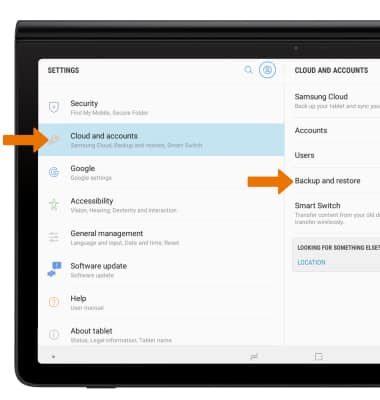
• Swipe down from the Notification bar, then select the Settings icon.• Scroll to and select Cloud and accounts, then select Backup and restore.
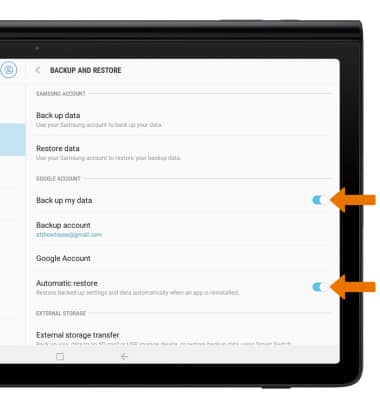
• Ensure that the Back up my data and Automatic restore switches are enabled.
Add New Backup Account
• From the Backup and restore screen, select Backup account.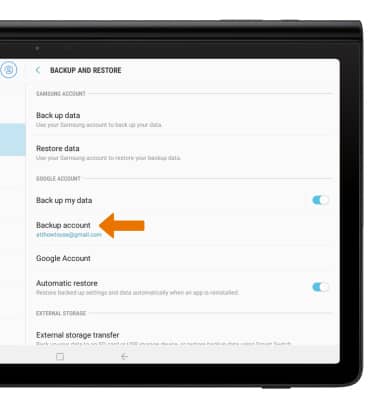
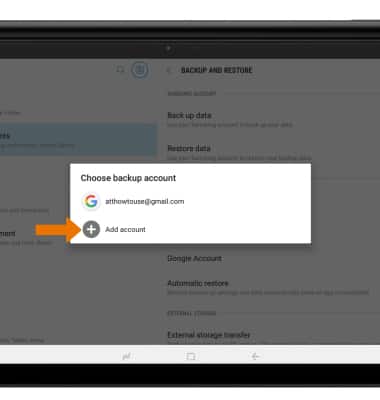
• Select the desired backup account option. Select Add account to backup your information to a new Google account.
Note: When you add your Google account to a device, the data that you previously backed up for that Google account is restored to the device.