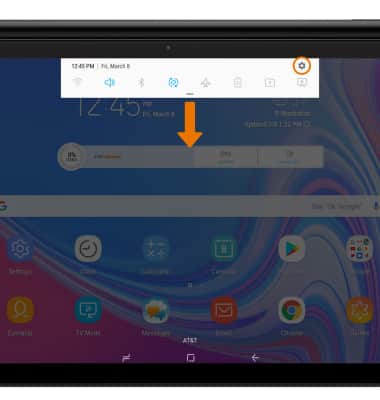
- CREATE A NEW USER: Swipe down from the Notification bar, then select the Settings icon.
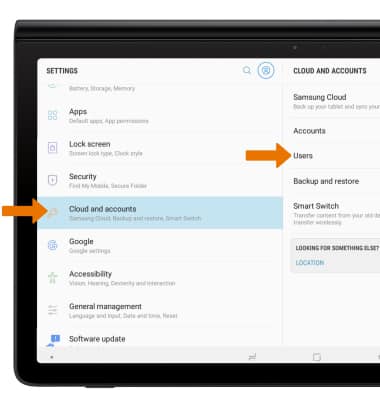
- Select Clouds and accounts then select Users.
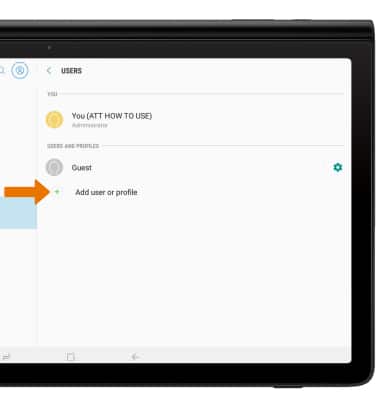
- Select Add user or profile.
- Select User.
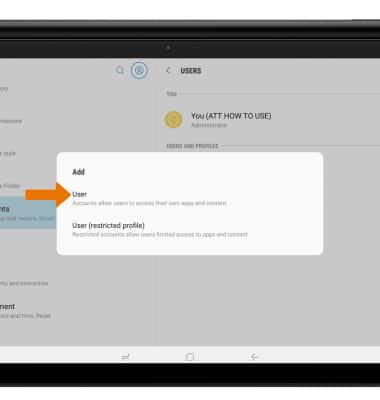
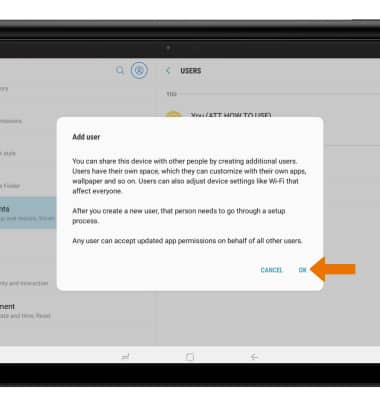
- Review the Add user prompt, then select OK. Follow the prompts to setup and personalize your user profile.
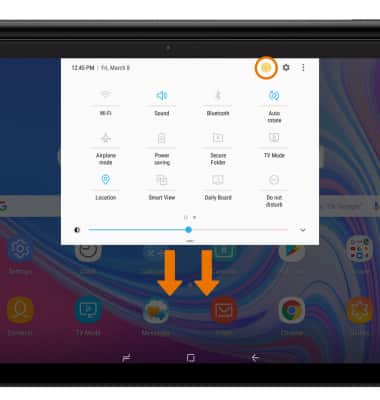
- SWITCH USERS: Swipe down from the Notification bar with two fingers and select the Users icon.
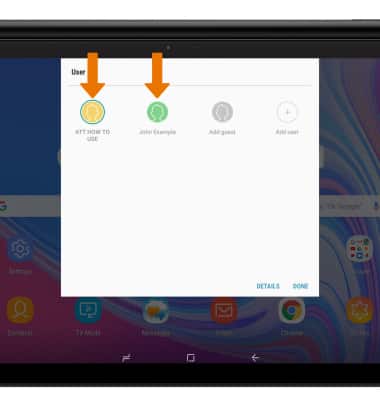
- Select the desired User.
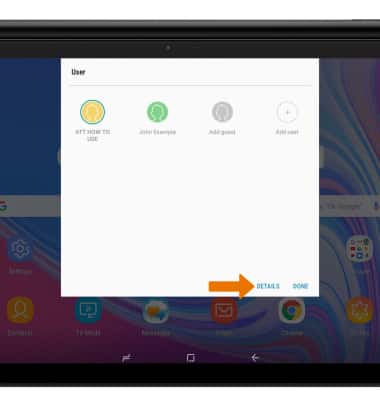
- DELETE A USER: From the User menu, select DETAILS.
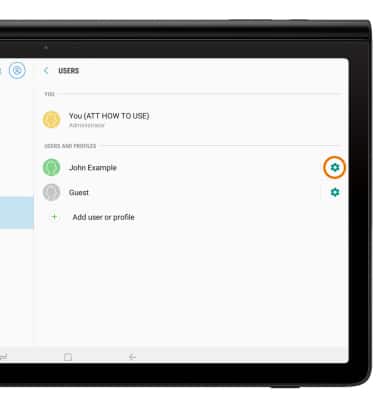
- Select the Settings icon next to the user you wish to delete.
- Select Delete user.
Note: You will be prompted to select DELETE to confirm.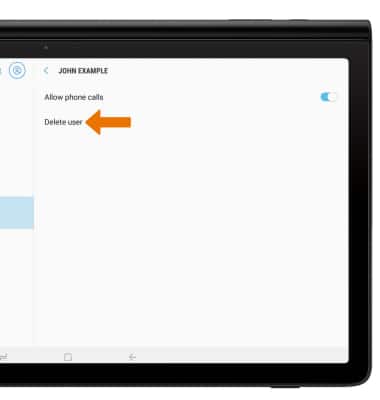
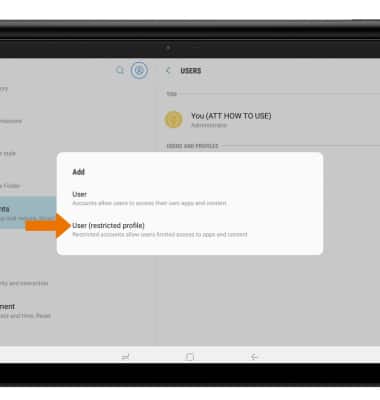
- ADD A RESTRICTED PROFILE: From the Users screen in the Settings app, select Add user or profile.
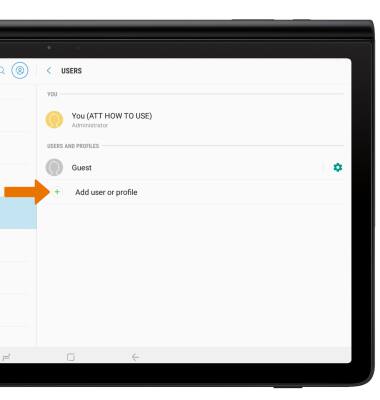
- Select User (restricted profile), then follow the prompts.
User Accounts
Samsung Galaxy View2 (SM-T927A)
User Accounts
Create and manage separate user accounts for your device.
User Accounts
Make changes to wallpaper, themes, home screen panels, folders and screen grid.
User Accounts
1:12
INSTRUCTIONS & INFO