• View app version
• Check for app updates
• Check for app updates
View app version
From the  HARMAN Spark app, select the Settings tab then scroll to view the App Version.
HARMAN Spark app, select the Settings tab then scroll to view the App Version.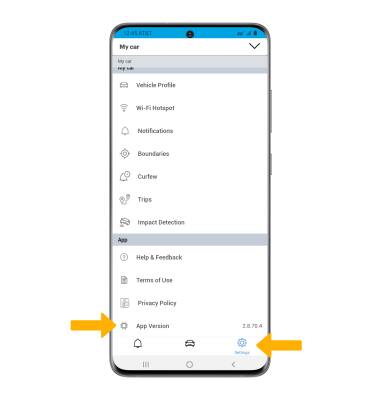
Check for app updates
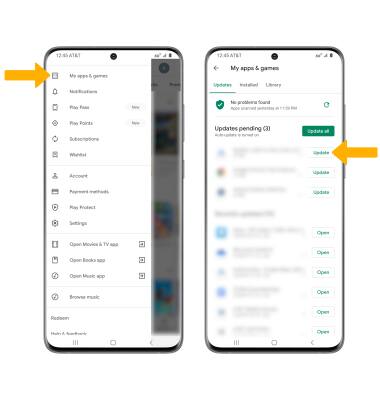
From the home screen, select the  Play Store app >
  Menu icon > My apps & games. If an update is available select, Update next to the HARMAN Spark app.
Note: To automatically update apps, from the Play Store app select the Menu icon > Settings > Auto-update apps > desired update option > DONE.
Play Store app > Menu icon > My apps & games. If an update is available select, Update next to the HARMAN Spark app.Note: To automatically update apps, from the
Play Store app select the Menu icon > Settings > Auto-update apps > desired update option > DONE.