
• Set a security lock
• Change lock type
• Change lock screen timeout
• Lock and unlock device
Set a security lock
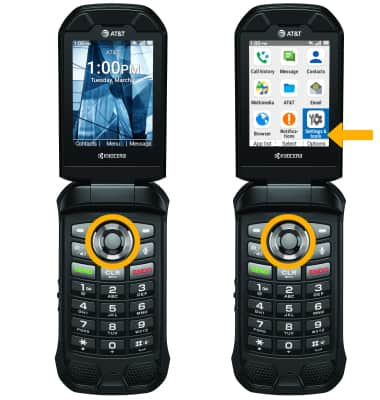
1. From the home screen, press the Select button to access the Apps tray. Press the navigational buttons to highlight the Settings & tools app, then press the Select button to select.
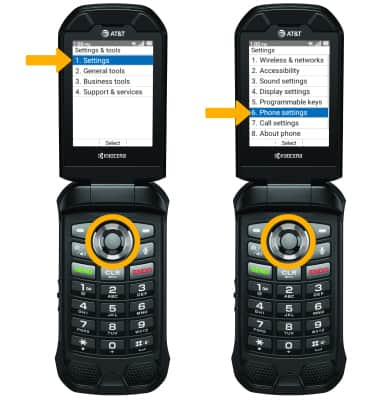
2. Press the Select button button to select Settings. Press the down button to highlight Phone settings, then press the Select button.
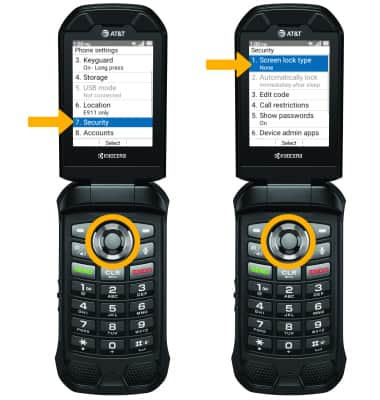
3. Press the down button to scroll to and highlight Security, then press the Select button. Ensure that Screen lock type is highlighted then press the Select button.
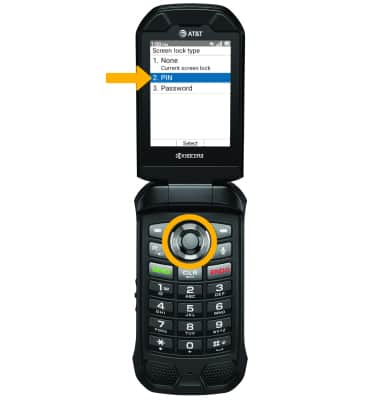
4. Press the up or down button to highlight the desired screen lock type, then press the Select button to select.
Note: For this tutorial, Pin was selected.
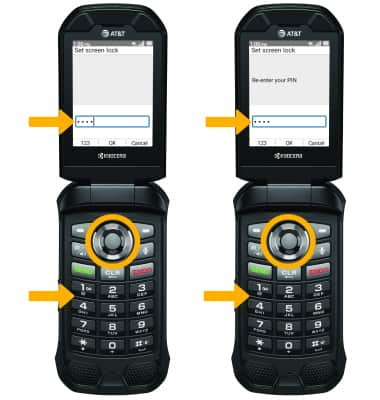
5. Use the keypad to enter the desired 4 digit passcode, then enter the passcode again to confirm. When finished, press the Select button to select OK.
2. Press the Select button button to select Settings. Press the down button to highlight Phone settings, then press the Select button.
3. Press the down button to scroll to and highlight Security, then press the Select button. Ensure that Screen lock type is highlighted then press the Select button.
4. Press the up or down button to highlight the desired screen lock type, then press the Select button to select.
Note: For this tutorial, Pin was selected.
5. Use the keypad to enter the desired 4 digit passcode, then enter the passcode again to confirm. When finished, press the Select button to select OK.
Change lock type
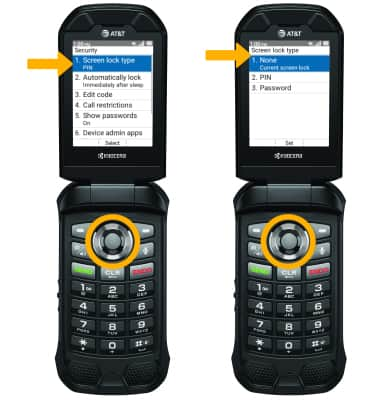
From the Security screen, press the Select button to select Screen lock type > enter your current screen lock > press the up or down button to highlight the new desired screen lock type > press the Select button and follow prompts to complete set up.
Change lock screen timeout
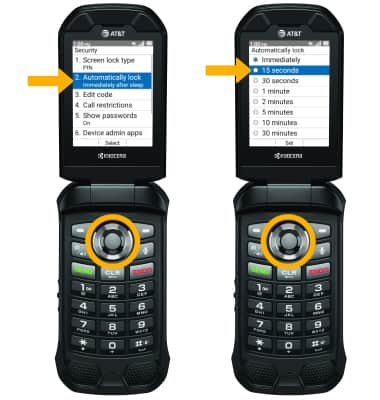
From the Security screen, press the down button to navigate to Automatically lock then press the Select button. Press the up or down button to highlight the desired lock screen time, then press the Select button.
Lock and unlock device
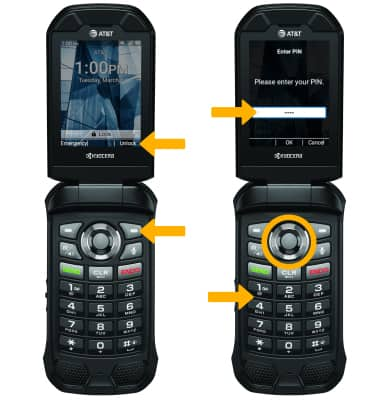
• LOG IN USING THE SECURITY LOCK: From the Lock screen, press the right option button. Use the keypad to enter your current screen lock, then press the Select button to select OK.
• LOCK DEVICE: Close the device.