In this tutorial, you will learn how to:
• Take a screenshot
• Access screenshots
Take a screenshot
Press the Prt Sc and Windows keys simultaneously.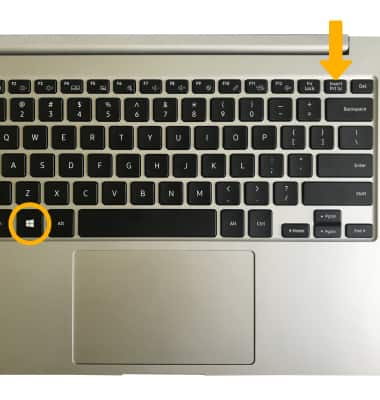
Access screenshots
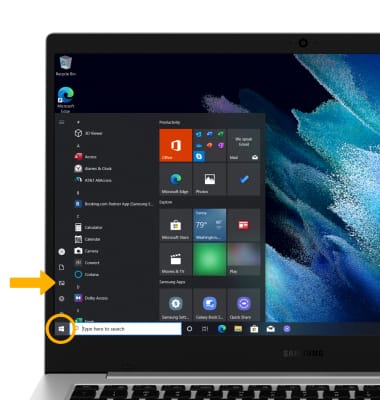
From the home screen, click the Start icon then scroll to and select the Photos app.
Note: Alternately, select the  File Manager app in the taskbar > Pictures tab > Screenshots folder.