
In this tutorial, you will learn how to how to:
• Access the email settings screen
• Change sync frequency
• Change your email signature
• Add additional email accounts
• Delete an email account
Access the email settings screen
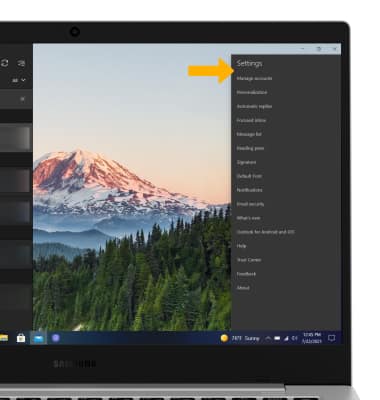
1. From the home screen, click the  Email app in the taskbar then click the
  Settings icon.
2. Edit settings as desired.
Email app in the taskbar then click the Settings icon.2. Edit settings as desired.
Change sync frequency
1. From the Email settings screen, click Manage accounts.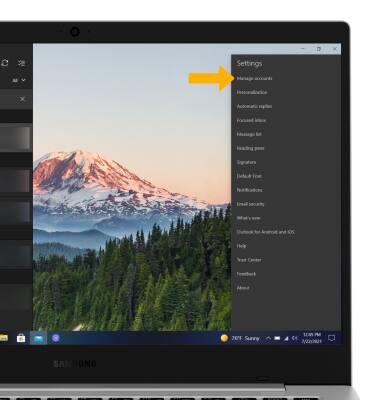
2. Click the desired account, then click Change mailbox sync settings. 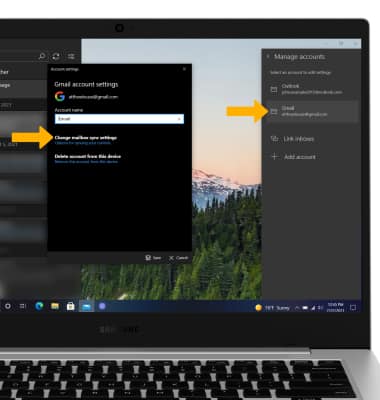
3. Adjust sync settings as desired, then click Done.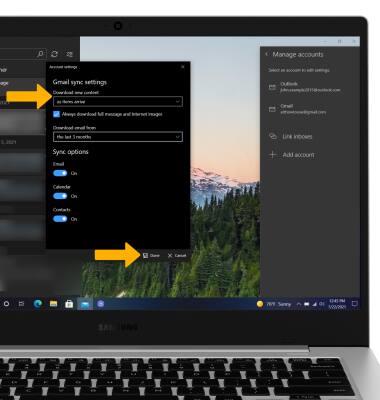
Change your email signature
1. From the Email settings screen, click Signature.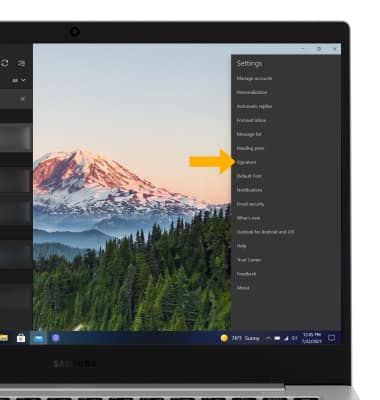
2. Enter the desired email signature, then click Save.
Note: Click the drop-down icon to click the desired account.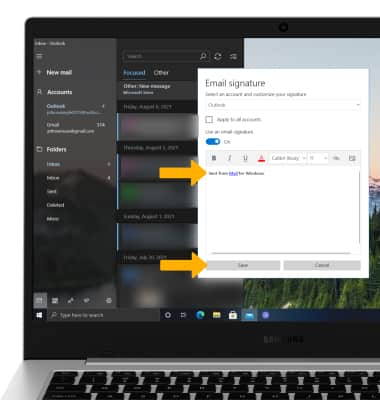
Add email accounts
1. From the Email settings screen, click Manage accounts. 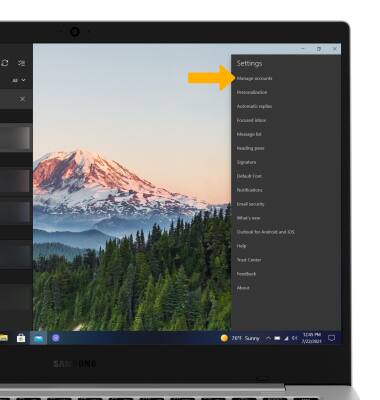
2. Click Add account, then follow the on-screen prompts.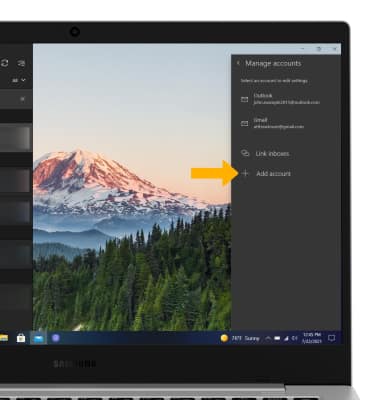
Delete an email account
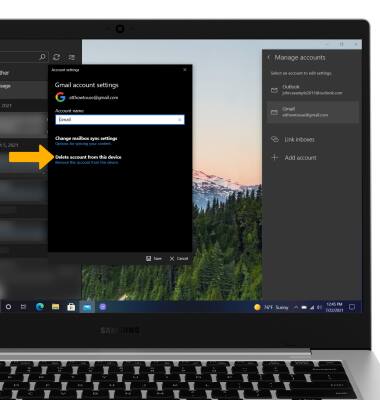
From the Manage accounts settings screen, click the desired account then click Delete account from this device.
Note: Click Delete again to confirm.
Note: Click Delete again to confirm.