
In this tutorial, you will learn how to project your screen to a second monitor.
1. From the home screen, click the Action Center icon then click Expand.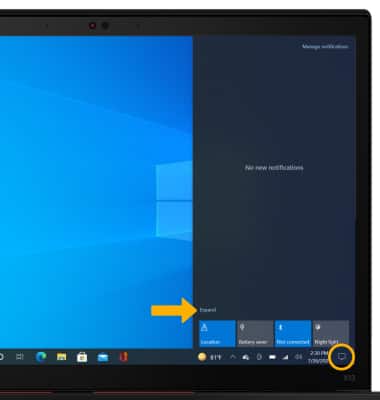
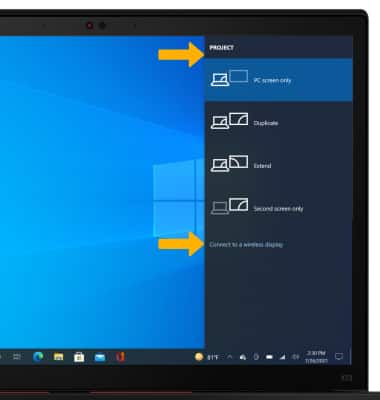
2. Click the Project tile.

3. Click the desired projection setting. To connect to a wireless display, click Connect to a wireless display.