
1. To change your voicemail password, from the home screen, select the  Phone app.
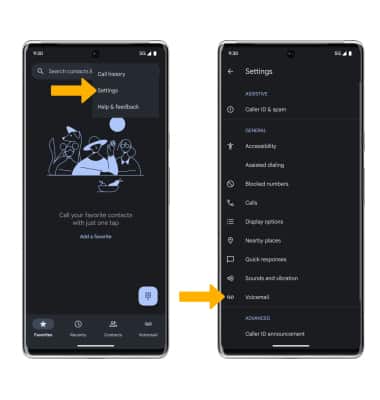
Phone app.2. Select the  Menu icon. Select Settings, then select Voicemail.
3. Select Change PIN. Enter your old PIN, then select Continue.
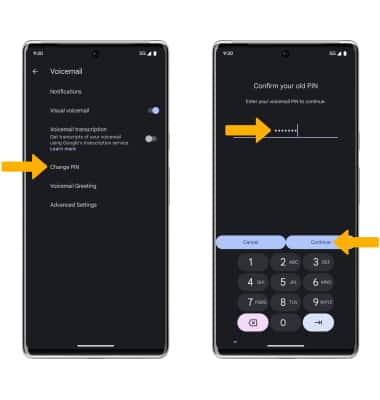
Menu icon. Select Settings, then select Voicemail. 3. Select Change PIN. Enter your old PIN, then select Continue.
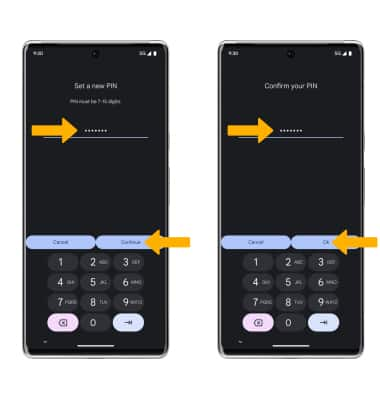
4. Enter a new 7-15 digit PIN, then select Continue. Enter the new 7-15 digit PIN again to confirm, then select Ok to confirm.
Note: To change your voicemail password via the IVR, you must know your current voicemail password. If you have forgotten your existing voicemail password, you will not be able to access voicemail until you reset your voicemail password.