Customize your accessory
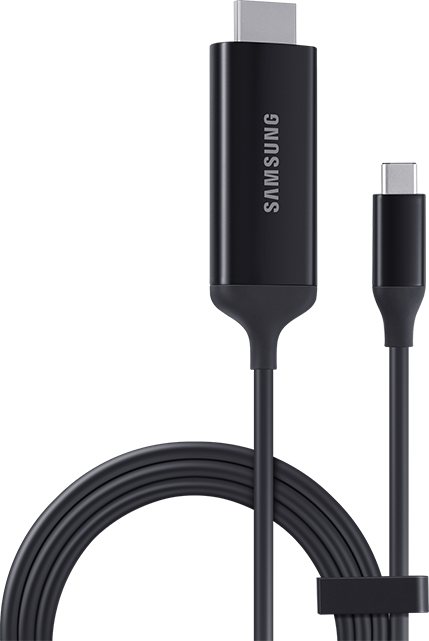
Samsung Dex Cable Type C to HDMI
This Samsung Dex Cable Type C to HDMI is no longer available.
Overview
DeX Cable is now all you need to use Samsung DeX. Connect the HDMI end to your display1 and the USB-C to your USB-C DEX compatible device and you're ready to go. The ultra-simple design is easy to use and carry, and responsive when connected.
Do what you do on your PC
Connect your USB-C DEX compatible device to a display with DeX Cable and you're ready to use Samsung DeX.2 Edit and send documents or make business presentations on the large screen using apps optimized for the desktop. Add a Bluetooth® wireless keyboard and mouse to complete the setup.3
See your videos in vivid definition
Connect your USB-C DEX compatible device to a monitor or display to watch films in stunning clarity. DeX Cable supports HDMI 2.0, letting you watch ultra HD 4k videos on the separate screen for an immersive visual experience.4
KEY FEATURES
-Launch DeX mode on your USB-C DEX compatible device
-Supports HDMI 2.0 and 4K video screen mirroring
FEATURES or SPECS
- 0.94" length / 0.43" width / 2.03" height
- 0.119 lb
- Model # : EE-I3100FBEATT
1Devices should be connected to an external display to use Samsung DeX. Display sold separately.
2Some functions of Samsung DeX with HDMI adapter, DeX cable, or DeX Station may differ from those with DeX Pad. Certain apps may not run or may require a separate license (for purchase) on Samsung DeX.
3Keyboard, mouse, and monitor sold separately.
4Only certain display monitors are compatible with DeX Cable and require being able to display videos at 4k resolution. 4k video output is supported only in screen mirroring mode.
© 2019 Samsung Electronics America, Inc. Samsung and Galaxy are registered trademarks of Samsung Electronics Co., Ltd. Other company names, product names, and marks mentioned herein are the property of their respective owners and may be trademarks or registered trademarks. Actual appearance of product may vary.
Key features
Feature & Specs
WARNING: Cancer and reproductive harm – www.P65Warnings.ca.gov