Setting the tablet to silent
Galaxy Tab S7
Setting the tablet to silent
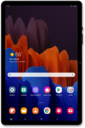
When your device is in do not disturb or silent mode, it will not make a sound to notify you of incoming notifications.
1.
From the Home screen, drag down the Notification panel.
2.
Tap the Sound icon to set your tablet to vibrate only.
3.
Tap the Vibrate icon to set your tablet to silent.
You can also use the Volume buttons to lower the volume to silent.
4.
You've completed the steps!
