Sending a text to a group
XP3Plus
Sending a text to a group
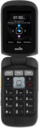
Learn how you can send a text message or multimedia message to a multiple contacts at once. You can attached a picture, video, or other media file to a text message.
1.
From the Messaging app main screen, press the Middle button.
2.
Press the Middle button.
3.
Navigate to a contact.
4.
Press the Select button.
If necessary, navigate to a number or email address and press the Select button to select it, then navigate to OK and press the Select button to confirm your selection.
5.
Navigate to another contact.
6.
Press the Select button.
Repeat steps 8 and 9 to add more recipients to the group text message.
7.
Press the Middle button.
8.
Navigate to the Type message field.
9.
Enter your message.
10.
When you're finished, press the Call button to send the message.
11.
You've completed the steps!
