Setting up Google Assistant™
Galaxy S22+
Setting up Google Assistant™
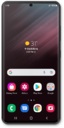
You can ask the Google Assistant to send emails, send texts, or start phone calls for you. In order to use the Google Assistant it needs to be set up first.
1.
From the Home screen, swipe up from the lower left or right corner.
You must be signed in to a Google account to use Google Assistant.
2.
Tap GET STARTED.
3.
Tap Next.
4.
Tap I agree.
5.
Tap I agree.
6.
Tap Next.
7.
You've completed the steps!
