Using Live Translate
Galaxy S26 Ultra
Using Live Translate
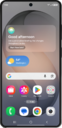
Live translate uses your device’s personal assistant to break communication barriers during phone calls by automatically translating your voice and the person you’re talking to. Use these steps to learn how to configure and use Live translate.
1.
From the Home screen, tap the Phone icon.
2.
Tap the Menu icon.
3.
Tap Settings.
4.
Tap Live translate.
5.
Tap or slide the Live translate switch to On.
6.
Scroll down to view and edit your language, voice, mute options and more.
7.
Tap the Home button.
8.
Tap the Phone icon.
9.
Dial the phone number you would like to call and tap the Call icon.
10.
Tap Call assist.
11.
Tap Live translate.
From this point you can tap the stop translations button at the top left or hang up, by tapping the hang up icon across from the stop translation icon at the top right of the screen.
12.
You've completed the steps!
