Placing a phone call
Galaxy Watch 4 Classic
Placing a phone call
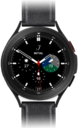
Using the dial pad in your device's phone app or on your smart watch, you can call a new phone number that is not associated with a contact. You can also make calls to your contacts that have phone numbers associated with them.
1.
From the Phone app, tap the Keypad icon.
2.
Enter a number to call.
Tap the SIM card icon to choose whether to place your call with your phone network or your watch's.
3.
Tap the Call icon.
4.
To finish the call, tap the End icon.
5.
You've completed the steps!
