Transferring an eSIM after you’ve set up your device
Galaxy Z Fold4 5G
Transferring an eSIM after you’ve set up your device
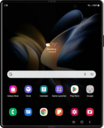
Learn how to add an eSIM to your device by transferring a SIM or an eSIM directly from another device that’s nearby.
1.
From the Connections tab in Settings, tap SIM manager.
2.
Tap Add eSIM.
3.
Tap Transfer SIM from another phone.
Have the device you are transferring your old SIM from unlock and nearby your new device.
Follow the on screen instructions on your old device to complete the transfer.
4.
You've completed the steps!
