Downloading an app and checking for app updates
iPhone 16
Downloading an app and checking for app updates
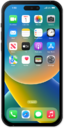
You can download an app or widget onto your device from your device's app store application. Once downloaded onto your device, you will be able to use that application or widget.
1.
From the App Store, tap the Search icon.
From this screen, you can also tap the Account icon to view a summary of recent and upcoming updates for your apps. Your iPhone will automatically check for and install app updates.
2.
Tap the Games, Apps, and More field.
3.
Enter the name of an app and tap the Search key.
4.
Tap Get.
5.
Tap Install.
You can also use Face ID to confirm your download. If your device has a home button, you can use Touch ID if it has been previously set up. For either case, you can skip entering your password in the next step.
6.
Enter your password and tap Confirm.
7.
When the download completes, tap Open.
8.
You've completed the steps!
