Using Control Center
iPhone 13 Pro
Using Control Center
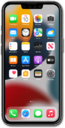
You have quick access to many of your device's features from your control center. Access your control center from the home screen and use it to do things like turn on or off the flashlight, start a time, access the calculator or camera, and more.
1.
From the Home screen, drag down from the top right portion of your screen.
If your device has a Home button, instead swipe up from the bottom of your screen to access the Control Center.
2.
Your Control Center allows you to perform a variety of actions all in one place:
- Connectivity - Tap their respective icons to quickly enable or disable new connections for Wi-Fi or AirDrop, or turn Airplane Mode on. Touch and hold the Connectivity widget to access further settings for these features and others.
- Flashlight - Tap to enable your iPhone's Flashlight. While it's on, swipe up and down on the Flashlight pop-up to raise and lower its brightness.
- Timers - Opens the Timers app. Touch and hold to open a quick menu to start or pause timers.
- Camera - Opens the Camera app. Touch and hold to select which view to open the Camera in.
- Sound and Brightness - Quickly adjust the levels of these settings by sliding their bars up and down. Touch and hold to view more detailed options.
- Focus - Tap to quickly enable your most recent focus, or touch and hold to select a Focus to enable or edit.
- Now Playing - Manage the current music or other media playing from your device.
- Edit Control Center - Tap the Plus Sign icon in the upper corner to add, order, resize, or remove apps and widgets from your Control Center.
3.
You've completed the steps!
