Answering a call from the Quick View Display
Razr+ 2026
Answering a call from the Quick View Display
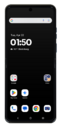
Answer your calls faster by picking up directly from the Quick View Display while the phone is still folded closed.
1.
From an incoming call, swipe up on the Answer icon.
You can also flip open your device to answer an incoming call.
2.
You've completed the steps!
