Download Apps & Games
SMARTFLIP (4052R)
Download Apps & Games
Download apps, games, movies, music, books, magazines, newspapers and more.
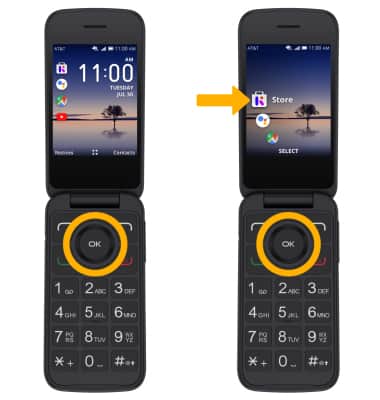
1. DOWNLOAD AN APP: From the home screen, press the left button to access app shortcuts, then press the up button to highlight the Store app. Press the OK button to select.
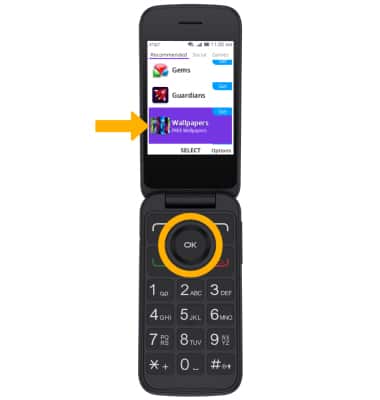
2. Press the navigational buttons to highlight the desired app, ringtone, or wallpaper, then press the OK button.
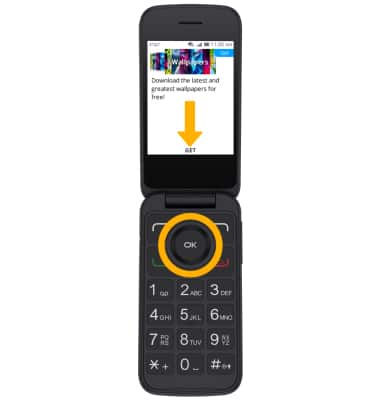
3. Press the OK button to select GET.
4. To access the app after it has downloaded and installed, press the OK button to select GO.
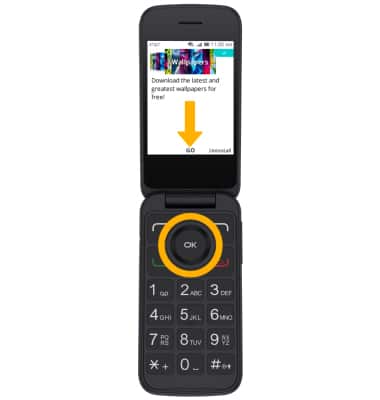
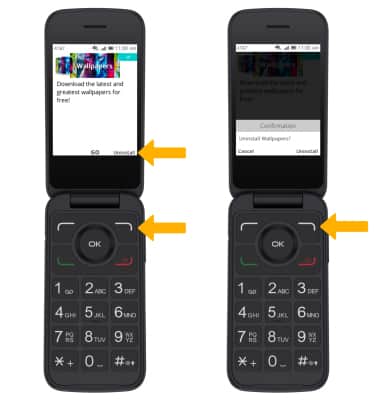
5. UNINSTALL AN APP: From the desired app in the app store, press the right menu button to select Uninstall. Press the right menu button again to confirm.
6. REINSTALL AN APP: From the desired app, press the OK button to select GET.