Google Maps
Google Maps
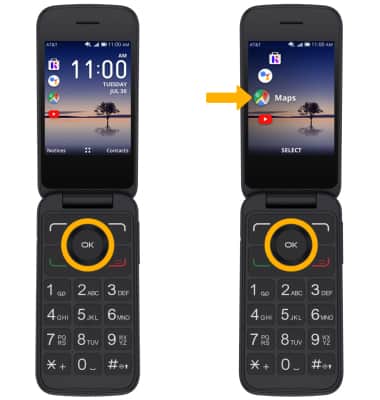
1. ACCESS GOOGLE MAPS: From the home screen, press the left button to access app shortcuts, then press the OK button to select Google Maps.
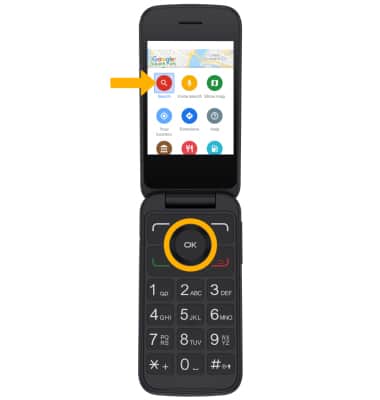
2. SEARCH FOR AND VIEW A LOCATION: From the Google Maps menu, press the navigational buttons to highlight Search then press the OK button to select.
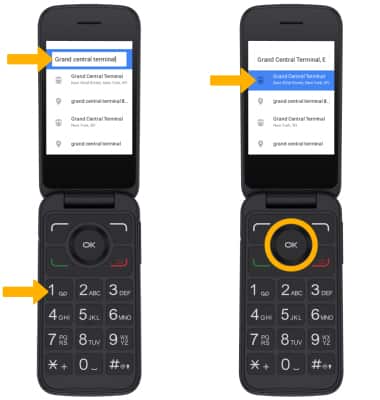
3. Use the keypad to enter the desired location, then press the down button to highlight the desired option. Press the OK button to select.
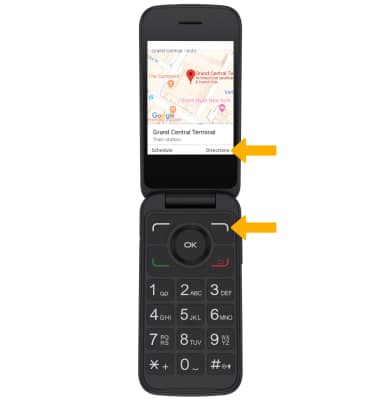
4. GET TURN BY TURN DIRECTIONS: From the location screen, press the right menu button to select Directions to get directions to the location.
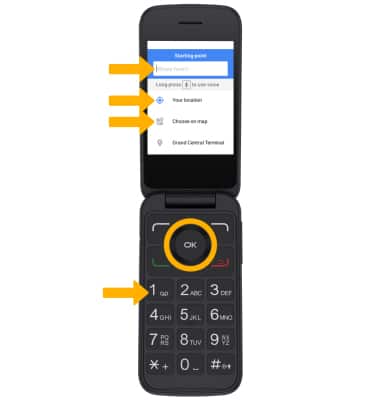
5. Use the keypad to enter the desired starting point, or press the down button to highlight the desired option and press the OK button to select.
6. Press the up or down button to highlight the desired option, then press the OK button to select.
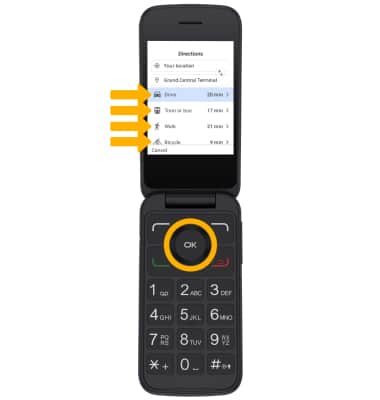
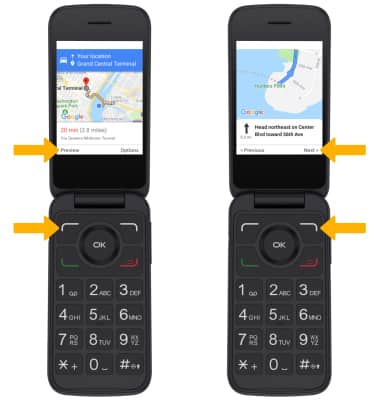
7. To view the directions, press the left menu button to select Preview. Press the right menu button to select Next to scroll through the driections.