Always-On Wi-Fi
Nighthawk 5G Mobile Hotspot Pro (MR5100)
Always-On Wi-Fi
Turn Always-On Wi-Fi on and off.
Seamlessly switch to your wireless Internet connection when your wired connection is interrupted or unavailable. Enjoy reliable and always-on Wi-Fi, anywhere.
Turn Always-on Wi-Fi on or off
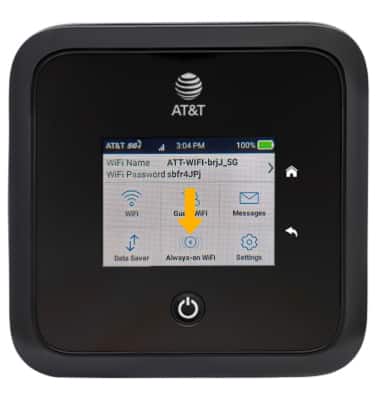
1. From the device home screen, select Always-on WiFi.
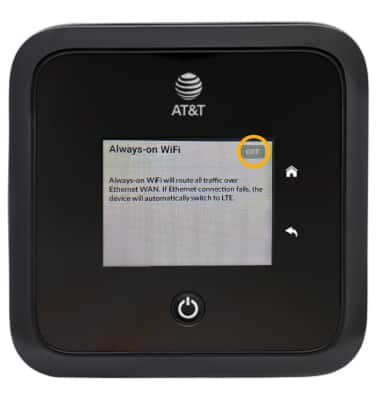
2. Select the Always-on WiFi switch.
Note: You will be prompted to select Ok to confirm saved changes.