Limited or No Connectivity
Limited or No Connectivity
In this tutorial, you will learn how to:
• Check network status• Unblock devices
Check network status
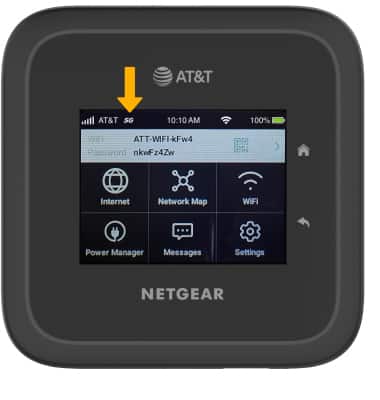
The signal strength is displayed on the device home screen. When connected to 5G, the 5G icon will be displayed.
Unblock devices
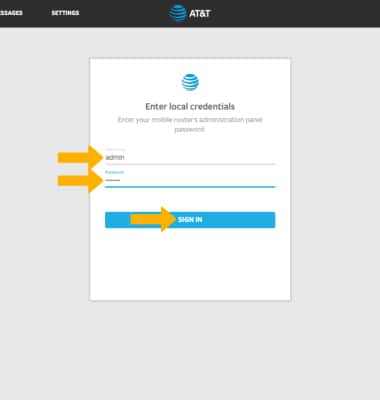
1. From your device's web browser, go to http://attwifimanager. Enter your Username and Password, then click SIGN IN.
Note: Ensure that your device and your computer are connected to the same Wi-Fi network. For more information, please see the Connect Devices to Wi-Fior Connect PC or Mac to Wi-Fitutorials.
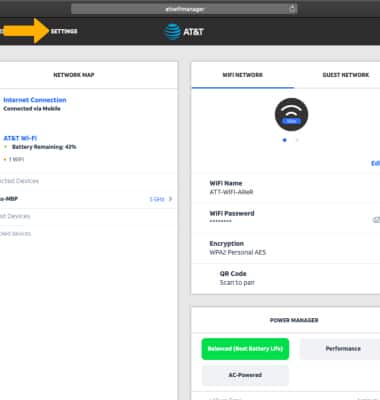
2. Click SETTINGS at the top of the page.
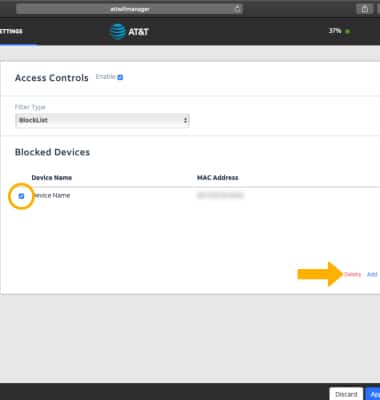
3. Click Security, then click Access Controls. Blocked websites will be displayed under Blocked Devices.
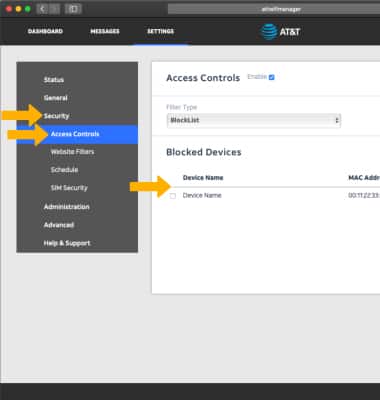
4. To unblock a devices, click the checkbox next to the desired website then click Delete.
Note: Click Apply when finished.