Charge the Battery
MiFi PRO M4
Charge the Battery
How to charge your battery.
Use the original charger and battery to maintain optimal battery performance over the life of your device.
Note: A full charge provides up to 24 hours of standby time.
In this tutorial, you will learn how to:
• Charge device via a power outlet
• Charge device via a laptop
Charge device via power outlet
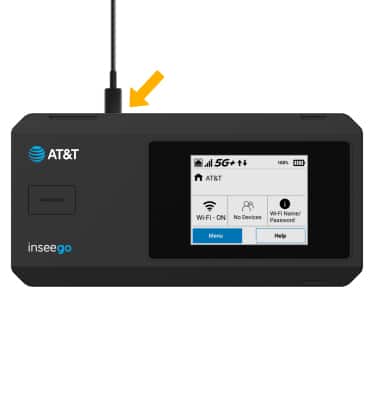
1. Insert the USB-C end of the cable into the port on the top of the device.
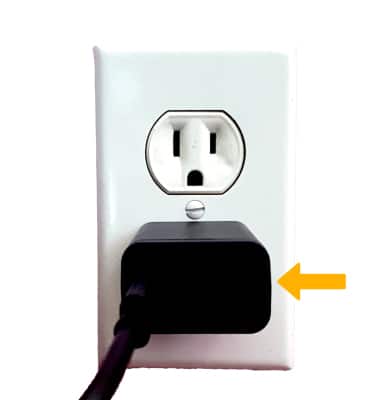
2. Plug the A/C adapter end into the wall outlet.
Charge device via a laptop
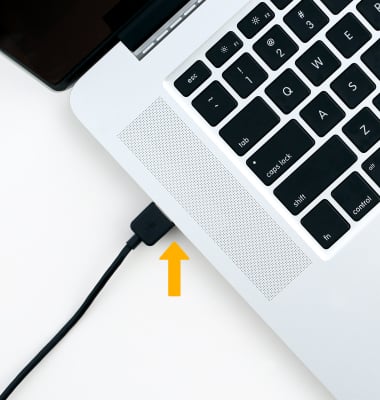
To use your laptop to charge the device, insert the opposite end of the cable into the USB port of a computer.
Note: The device comes only with an A/C adaptor. USB cable sold separately. Your device charges quicker using a power outlet then when connected to a laptop or other power source.
When the device is charging, the  Charging icon will be displayed.