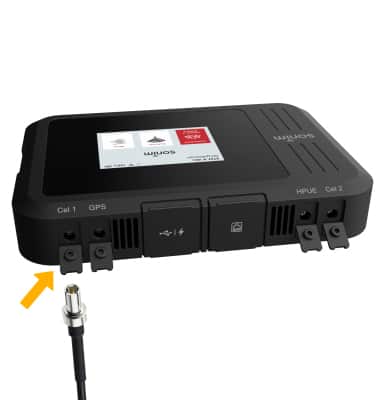
External Antenna
MegaConnect
External Antenna
How to attach and troubleshoot an external antenna.
Add an external antenna
1. The Sonim MegaConnect has four external antenna ports (2 Cellular ports, 1 HPUE port, and 1 GPS port). Note: Please see the Quick Start Guide included with your device for instructions on the various different mounting options. 2. Remove the antenna covers on the desired antenna port.
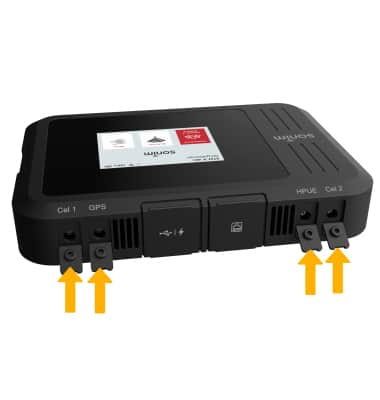
3. Insert the desired antenna into the desired antenna port.