Take a Screenshot
CORE-P6
Take a Screenshot
Take a screenshot and share or edit it.
In this tutorial, you will learn how to:
• Take a screenshot
• Share a screenshot
Take a screenshot
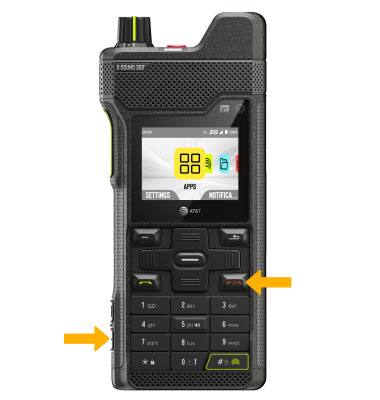
Simultaneously press the Power/End Call button and volume down buttons to take a screenshot.
Share a screenshot
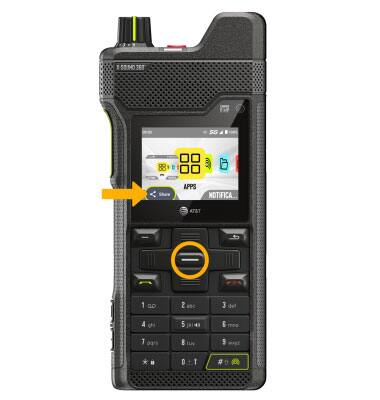
Immediately after taking a screenshot, press the Select button to select Share. Follow the prompts to share the screenshot.