Setting up the Google Watch for the first time
Google Pixel Watch
Setting up the Google Watch for the first time
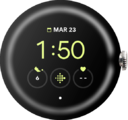
Follow along to set up and activate your Watch for the first time (or after a factory reset). After these few steps, you'll be able to begin using your Watch. If your watch is unable to pair reset it and attempt to pair again.
1.
From the Watch app, tap Continue.
2.
Review the Terms of service.
3.
Tap I agree.
4.
Select your watch.
Follow the prompts if Bluetooth® is not on.
5.
Tap Pair.
6.
Tap Next.
7.
Tap the Enter your password field.
8.
Enter your account password.
9.
Tap the Enter key.
10.
Tap Next.
11.
Tap Next again.
12.
Tap Next again.
13.
Tap Not now.
14.
Tap Next.
15.
Tap Skip.
16.
Tap Continue.
17.
Tap Skip.
You can add a screen lock to your watch later in Settings.
18.
Tap Skip again.
19.
Tap Continue.
20.
Tap Not now.
21.
Tap Done.
Once your watch is paired to your phone, follow the prompts on your watch to learn about some basic functionality.
22.
You've completed the steps!
