Setting up your second cellular plan with eSIM
Setting up your second cellular plan with eSIM
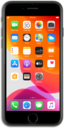
From the Home screen, tap Settings.
Tap Cellular.
Tap Add Cellular Plan.
Place the QR code provided by your carrier within the camera frame.
iPhone's camera automatically detects QR codes. If your carrier didn't provide a code, you may need to use their app to purchase a cellular plan. You can also tap Enter Details Manually to enter the information yourself.
Tap Add Cellular Plan.
Tap Continue.
From this screen, you can also assign new labels to your different plans. The labels you assign are what you'll use to designate their primary functions. You can reassign these at any time in settings.
Select your default line preference.
The labels you've chosen may differ from this tutorial, but the same steps should still apply.
Tap Continue.
Tap Continue.
Select your default line preference.
Tap Done.
You've completed the steps!
