Accessing settings
Galaxy J7 (2017)
Accessing settings
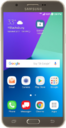
Learn how to quickly locate and navigate the settings menu to personalize and manage your preferences.
1.
From the Home screen, drag down the Notification panel.
2.
Tap the Settings icon.
You can also access Settings through the Apps menu.
3.
You've completed the steps!
