
In this tutorial, you will learn how to:
• Access voicemail
• Listen to a voicemail
Access voicemail
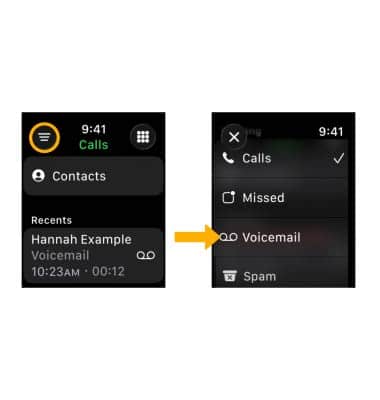
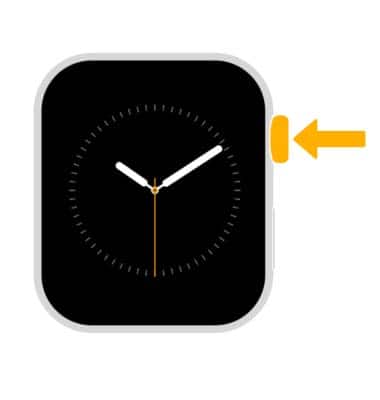
1. From the clock screen, press the Digital Crown/Home button then select the  Phone app.
2. Select the Filter icon, then select Voicemail.
Listen to a voicemail
1. Select the desired message. 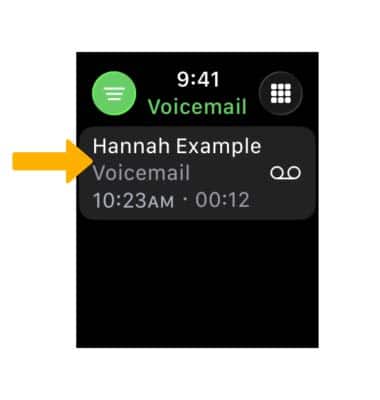
2. Select the  Play icon. Select the corresponding options: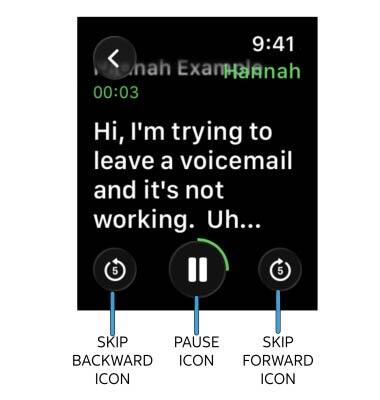
• SKIP: To skip forward or backward in 5 second increments, select the desired icon.
• PAUSE: Select the Pause icon.
3. To adjust the volume, rotate the Digital Crown/ Home button to the desired volume.
4. While the message is paused, select the desired icons:
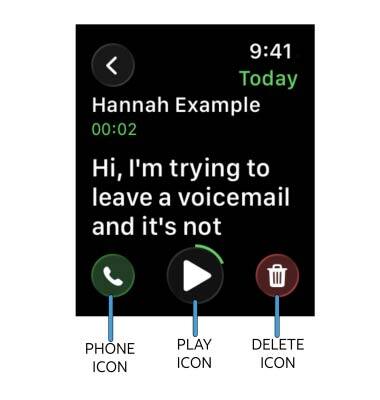
• PLAY: Select the Play icon.
• CALL BACK: Select the Phone icon.
• DELETE: Select the Delete icon.
• CALL BACK: Select the Phone icon.
• DELETE: Select the Delete icon.