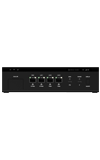

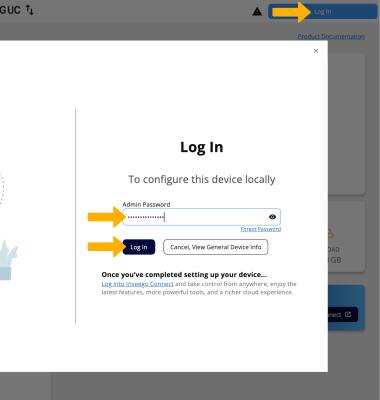
1. From your connected device's web browser, go to http://inseego.local or https://192.168.1.1. Click Log In. Enter your password, then click Log In.
Note: Ensure that your device is connected to the Inseego Wavemaker FX4200's Wi-Fi network. For more information, please see the Connect Devices to Wi-Fi or Connect PC or Mac to Wi-Fi tutorials. If you haven’t logged into the Web admin page before, the default password will be displayed on the bottom of the device. You may be prompted to change the admin password.
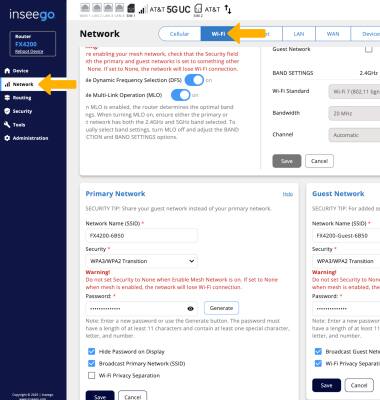
2. Click Network, then click the Wi-Fi tab.
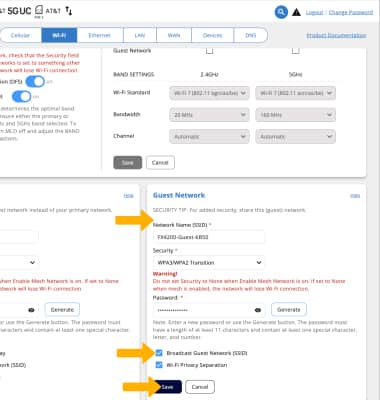
3. Scroll to and edit the Guest Network Wi-Fi settings as desired. Ensure the Broadcast Guest Network (SSID) checkbox is selected, then click Save.