- ENABLE BLUETOOTH: From the home screen, press the OK button. Press the directional buttons to navigate to and highlight the Settings app, then press the OK button.
Note: To optimize battery life, turn Bluetooth off when not in use.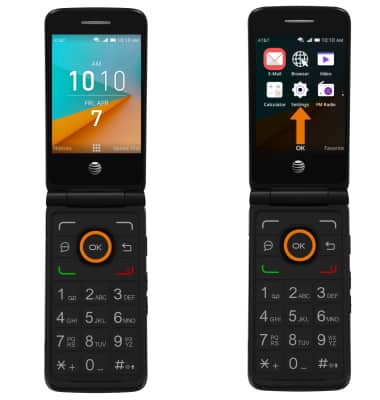
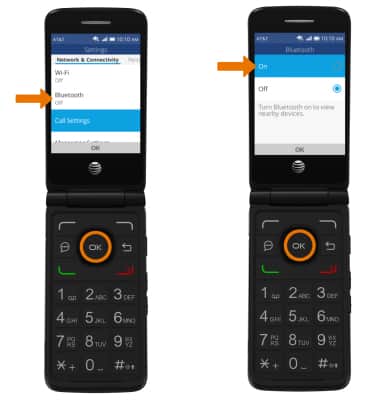
- From the Network & Connectivity tab, navigate to and select Bluetooth then navigate to and select On.
- CONNECT TO ANOTHER BLUETOOTH DEVICE: From the Bluetooth screen, select Nearby Devices to scan for other Bluetooth devices. Navigate to and select the desired device, then follow the on-screen prompts.
Note: You may be prompted to enter a passcode (common default passcode is 0000.)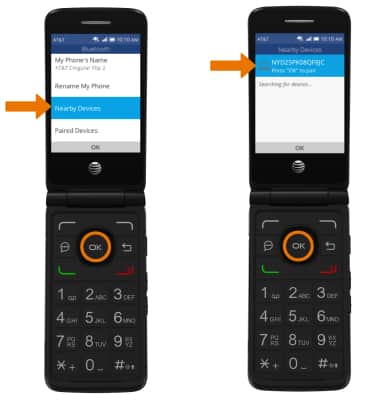
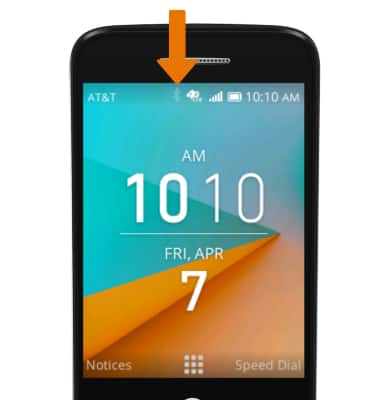
- When Bluetooth is paired, the Bluetooth paired icon will display in the Notification bar.
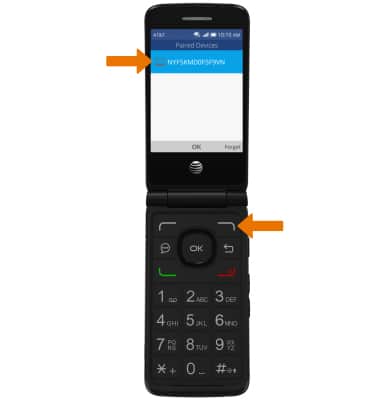
- UNPAIR DEVICE: From the Bluetooth screen, select Paired Devices. Navigate to the desired device, then press the right option button to select Forget.
Bluetooth
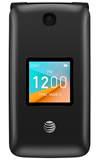
AT&T Cingular Flip 2 (4044O)
Bluetooth
Turn Bluetooth on or off, scan and connect to other Bluetooth devices, and unpair a connected device.
INSTRUCTIONS & INFO